Documentation / Scanner

Market Condition Adaptations

Last updated: 22/01/2025

Why Market Conditions Matter for Scanner Settings

The same Scanner filters that generate consistent profits in bull markets can lose money rapidly in choppy or bearish conditions due to fundamentally different market dynamics. The 590 symbols being scanned behave differently across market regimes, requiring adaptive filtering rather than static configurations. Traders who continuously adjust their Scanner settings based on current market conditions separate themselves from those who experience boom-and-bust equity curves using one-size-fits-all approaches.

This guide shows you how to identify different market regimes using the Dashboard and platform indicators, then adapt your Scanner filters accordingly. You’ll learn specific filter configurations for bull markets, bear markets, choppy conditions, high VIX environments, and special event periods like FOMC weeks. By matching your Scanner setup to current conditions, you maintain consistent performance across all market cycles.

Identifying Bull Market Conditions

Bull markets require specific confirming factors before you shift to bullish Scanner configurations. Check these indicators each morning before market open to categorize the current regime.

dashboard overview showing market pulse with 70%+ green/yellow signals. capture the main dashboard page with market puls
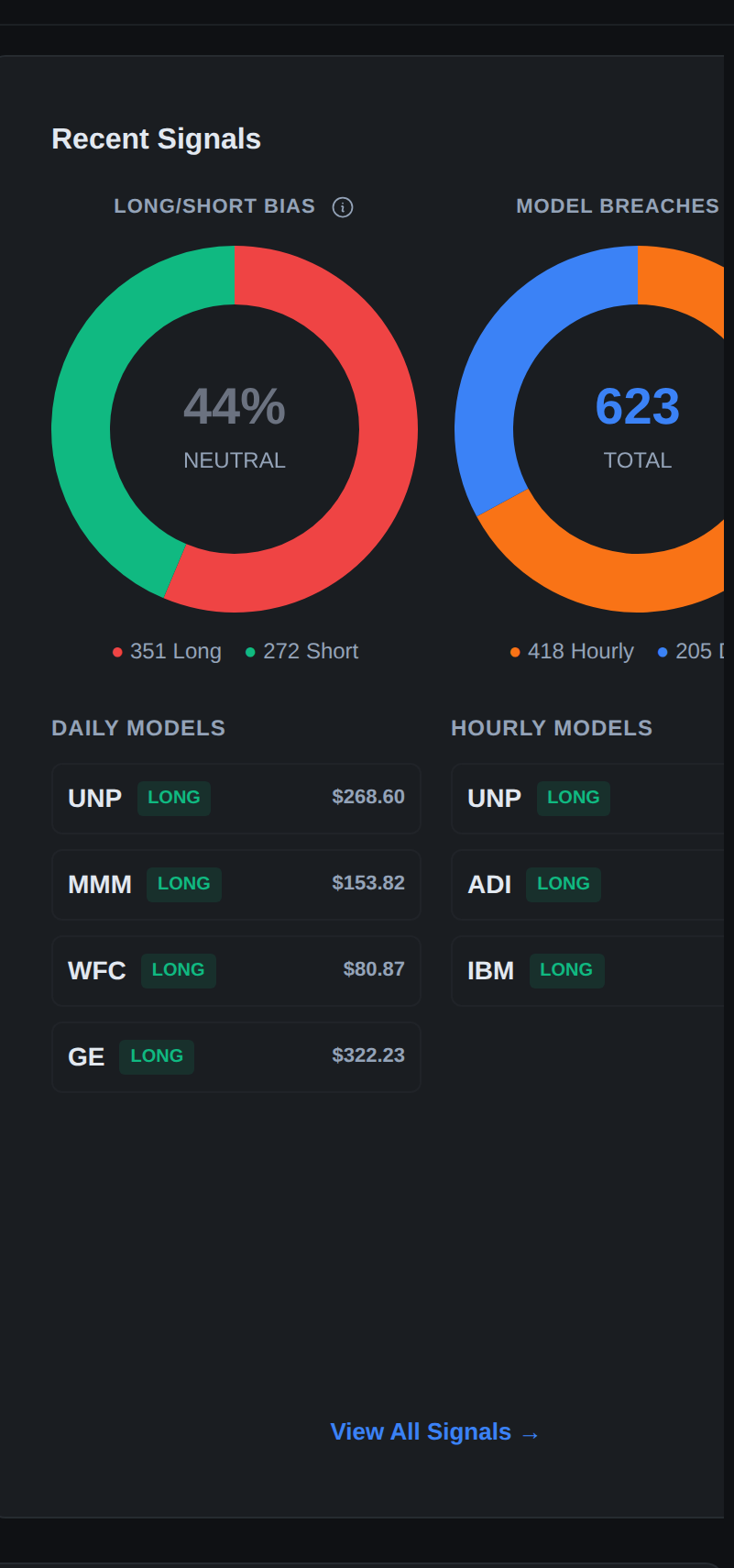
The Dashboard displays Market Pulse color distribution and LONG/SHORT signal percentages to help you identify the current market regime at a glance.

SPY and QQQ must both trade above their 50-day exponential moving averages in clear uptrends, not just barely above but showing consistent daylight. The Dashboard should display 65% or more LONG signals, indicating broad bullish participation across the 590 scanned symbols.

Market Pulse readings should show 70% or more signals in Green or Yellow status, confirming positive momentum across the platform’s universe. VIX should sit below 18, reflecting low fear and stable conditions rather than elevated anxiety. The market should be making new highs consistently every week, demonstrating ongoing strength rather than temporary bounces. If all five factors align, you’re in a confirmed bull market regime.

Scanner Configuration for Bull Markets

Bull market filters emphasize capturing momentum with more aggressive participation and higher signal volume. Set Direction to LONG only, or at most 80% LONG / 20% SHORT to maintain some flexibility. Lower Conviction threshold to 70+ since more quality opportunities become available in trending bull markets and you don’t want to miss them by being too selective. Keep Market Pulse Alignment set to WITH for trend following as always.

scanner filter panel configured for bull market settings. show the filter sidebar with direction set to long, conviction
Bull market Scanner configuration prioritizes LONG direction with 70+ conviction and Green/Yellow Market Pulse alignment.

Configure Market Pulse Color to Green or Yellow for trending conditions. Include both Hourly and Daily Aggressive models to capitalize on sustained momentum across timeframes, capturing both intraday and multi-day moves. Set Signal Type to FP or TC with emphasis on FP signals which become extremely high-probability in strong uptrends. Consider adding SP (Support Play) signals as secondary priority since support bounces work well in bull markets.

Increase position sizing to full 2% risk per trade since win rates improve in bull markets, typically jumping 10-15 percentage points above neutral market levels. Trade pullbacks aggressively as FP First Pullback signals in Green Market Pulse produce 65-75% win rates in confirmed bull markets. Let winners run by trailing with 8 EMA instead of taking profit at first target, as bull trends often extend 2-3x the initial Volatility Box target distance. Hold swing trades over weekends since gap-down risk is substantially lower when broader market has strong bullish momentum.

Example bull market signal distribution: Scanner shows 32 total signals broken down as 26 LONG and 6 SHORT, representing 81% long bias. Market Pulse displays 24 Green signals, 4 Yellow, and only 2 Red. VIX registers 14.2 well below the 18 threshold. The appropriate action is to trade LONG signals with 70+ conviction while skipping SHORT signals entirely unless conviction reaches 85+ for exceptional counter-trend setups. Expect 12-18 LONG signals per day meeting your filters with combined 62-72% win rates.

Identifying Bear Market Conditions

Bear markets require inverse signals plus additional caution factors. SPY and QQQ must both trade below their 50-day exponential moving averages in established downtrends showing consistent separation. The Dashboard should display 60% or more SHORT signals indicating broad bearish pressure. Market Pulse should show 60% or more Red or Orange signals confirming negative momentum. VIX should exceed 25 reflecting elevated fear and uncertainty. The market should be making consistent lower highs and lower lows establishing clear downtrend pattern.

Scanner Configuration for Bear Markets

Bear market filters prioritize capital preservation over opportunity capture. Set Direction to SHORT priority, perhaps 70% SHORT / 30% LONG to maintain some flexibility for exceptional long setups. Raise Conviction threshold to 80+ to be significantly more selective, as lower-quality setups fail more often in volatile bear conditions. Keep Market Pulse Alignment at WITH for trend following.

scanner filter panel configured for bear market settings. show the filter sidebar with direction prioritizing short, con
Bear market Scanner configuration raises conviction to 80+ and focuses on SHORT direction with Orange/Red Market Pulse colors.

Configure Market Pulse Color to Orange or Red for downtrending conditions, skipping Green and Yellow entirely. Switch to Daily Conservative model exclusively as it provides wider 3-8% stops necessary for handling elevated volatility and overnight gap risk. Focus Signal Type on TC and SP as pullback opportunities become scarce in sustained downtrends, requiring you to short ongoing weakness or resistance bounces.

Reduce position sizing dramatically to 1-1.5% risk per trade since stop distances widen and whipsaw risk increases. Take profits at VB target rather than trailing, as bear market rallies are violent and can erase gains quickly if you try to hold for extended moves. Tighten stop management by moving stops to breakeven after reaching 30% of distance to target, protecting against volatile reversals. Reduce position count to maximum 2-3 open trades at once to limit exposure. Avoid overnight holds entirely as gap risk is substantially higher in bear markets. Focus exclusively on mega-caps like AAPL and MSFT while avoiding small caps that can gap dramatically.

Example bear market signal distribution: Scanner shows 28 signals split as 8 LONG and 20 SHORT, representing 71% short bias. Market Pulse displays only 4 Green signals, 2 Yellow, and 18 Red. VIX registers 28.4 well above the fear threshold. The appropriate action is to trade SHORT signals with 80+ conviction exclusively while skipping LONG signals unless they’re mega-cap stocks with 85+ conviction. Expect only 5-8 SHORT signals per day meeting filters with combined 48-56% win rates, lower than bull market but still profitable with proper 2:1 risk-reward management.

Identifying Choppy Market Conditions

Choppy or sideways markets are characterized by absence of clear trend rather than specific directional signals. SPY trades in a 3-5% range for two weeks or longer without making progress in either direction, oscillating within defined boundaries. The Dashboard shows approximately 50/50 split between LONG and SHORT signals with no clear dominance. Market Pulse displays mixed colors with no clear trend consensus across the 590-symbol universe.

VIX sits in the 18-25 range indicating moderate uncertainty without panic, elevated from bull market levels but not in crisis mode. Price action whipsaws with up days immediately followed by down days in unpredictable patterns, creating trader frustration. If these characteristics persist for 5+ trading days, you’re in a choppy market regime requiring defensive Scanner settings.

Scanner Configuration for Choppy Markets

Choppy market filters demand maximum selectivity and defensive positioning. Set Direction to Both with no inherent bias since neither side has an edge. Raise Conviction threshold dramatically to 85+ to trade only the very best setups that can overcome the noise. Make Market Pulse Alignment WITH mandatory and skip AGAINST signals entirely to avoid the worst counter-trend setups in already-difficult conditions.

Set Market Pulse Color to Any since even Green signals struggle in choppy markets and being too selective may eliminate all opportunities. Use Daily Conservative model exclusively while avoiding Hourly models that generate too many false signals in sideways noise. Focus Signal Type on FP only as pullback entries at least provide defined risk, avoiding TC which requires continuation that doesn’t occur in choppy conditions.

Reduce position sizing to 1% risk per trade or consider skipping trading entirely until conditions improve, as cash is a valid position. Reduce trade frequency by approximately 50% compared to trending markets, taking only 3-5 trades per week versus 8-12. Take profits early at 1.5:1 risk-reward rather than waiting for full Volatility Box targets that may never arrive in sideways markets. Use very tight stops and exit if trades don’t work within 4 hours for daily models, not giving them room to wander.

Avoid swing trades completely and close all positions by end of day to eliminate overnight risk in unpredictable conditions. Consider sitting out entirely and waiting for clearer trend to emerge, preserving capital for better opportunities rather than grinding through low-probability chop. Track your choppy market performance separately, and if win rate drops below 40% in these conditions, make it a rule to not trade when chop is identified.

Example choppy market signal distribution: Scanner shows just 18 signals split exactly 9 LONG and 9 SHORT with perfect 50/50 distribution. Market Pulse displays 7 Green, 3 Yellow, 5 Red, and 3 Orange with no consensus. VIX registers 22.1 elevated but not panic. The appropriate action is to trade only 85+ conviction signals, take profits quickly at 1.5:1 risk-reward, and exit all positions by 3:30 PM with no overnight holds. Expect only 2-4 signals per day meeting these strict filters with 45-52% win rates at best.

High VIX Environment Adaptations

When VIX exceeds 25, the Scanner requires special adaptations because volatility fundamentally changes VB band behavior. Volatility Box bands widen significantly to 2-3x their normal width to accommodate increased price movement, creating much larger stop distances. Stop distances increase dramatically, requiring much smaller position sizes to maintain consistent dollar risk. Target distances also increase, making setups look deceptively attractive on paper with 3:1 or 4:1 risk-reward ratios that may not be realistic.

Whipsaw risk increases substantially as false signals become more common when volatility is elevated. Price can trigger VB entry levels then immediately reverse through your stop before resuming the original direction. These factors combine to create an environment where standard position sizing will result in outsized losses if trades fail, even with proper stop discipline.

Scanner Configuration for High VIX

High VIX filters emphasize dramatic risk reduction to compensate for wider stops and increased whipsaw probability. Raise Conviction to 85+ minimum with no exceptions, trading only the absolute best statistical setups. Use Daily Conservative model exclusively as Hourly models are far too noisy when VIX exceeds 25, generating numerous false signals.

Keep Market Pulse Alignment at WITH for trend following, never taking AGAINST trades during high volatility periods. Focus Signal Type on TR or FP specifically, as these reversal and pullback patterns have clearest stop placement during volatile periods. Avoid TC and ME signals which require continuation that’s unreliable when volatility is spiking.

Cut position sizing to 0.5-1% risk per trade because stops are much wider and normal 2% sizing would create excessive dollar risk.

Example: VIX at 32 during panic selling. AAPL signal shows entry $182.10, stop $174.80 (4% risk, much wider than typical 1-2%), target $192.60, conviction 88. For $50,000 account, normal 2% risk equals $1,000. Under high VIX conditions, reduce to 1% equals $500 maximum risk. Risk per share is $7.30. Position size $500 / $7.30 equals 68 shares. Normally you would trade 137 shares to risk $1,000, but high VIX requires cutting position size by 50% to maintain proper risk management despite wider stops.

Filter for Win Rate 55%+ and Expectancy +$0.40+ to ensure you’re only trading the most proven setups during elevated volatility. Reduce maximum concurrent positions to 2 instead of normal 3-4 to limit overall exposure. Take profits at Volatility Box target without trailing, as volatile reversals can erase extended gains quickly. Exit same day whenever possible, avoiding overnight holds during high VIX periods. Expect only 2-4 signals per day meeting these strict criteria with 48-56% win rates.

FOMC and CPI Week Adaptations

Major market-moving events create temporary periods requiring defensive Scanner settings. FOMC meetings occur 8 times per year with announcements at 2 PM Eastern. CPI reports release monthly at 8:30 AM Eastern. NFP jobs reports come first Friday of month at 8:30 AM. These events can create massive volatility that invalidates technical analysis temporarily.

Scanner Configuration for Event Weeks

The day before major events, switch Scanner to defensive mode. Raise Conviction to 85+ for extreme selectivity. Use Daily Conservative model exclusively, avoiding Hourly models during event uncertainty. Keep Alignment at WITH and Colors at Green or Yellow for highest-quality setups only. Exit all swing positions by 3 PM the day before the event to eliminate overnight exposure.

Don’t enter new swing trades that would hold through the event, limiting activity to day trades only that close by 3:30 PM. Reduce position size by 50% on any trades taken, using 1% risk instead of normal 2%. On the day of the event before the release, avoid trading entirely until announcement passes. Wait at least 15 minutes after announcement for initial volatility to settle before reviewing Scanner.

Check VIX immediately after release, and if VIX spikes more than 10% from pre-event levels, sit out rest of the entire day as volatility likely remains too high for reliable signals. After event releases, wait until 9:45-10:00 AM for directional clarity before entering positions. Trade only 85+ conviction signals as lower-quality setups remain prone to failure in post-event conditions. Use Daily Conservative exclusively with its wider stops that accommodate post-event volatility. Close all positions by end of day rather than holding overnight, as secondary reactions often occur following session.

Example FOMC day workflow: Tuesday afternoon before Wednesday 2 PM announcement, exit 3 open swing positions at 2:30 PM locking in +$420 profit with no new entries. Wednesday at 2:00 PM FOMC announces rates unchanged and SPY spikes 1.2% in 5 minutes on initial reaction. By 2:15 PM VIX has dropped from 19 to 16 showing stabilization. At 2:30 PM check Scanner and find MSFT LONG signal with 86 conviction using Daily Conservative. Enter 120 shares targeting exit by 3:45 PM, producing +$240 profit before exiting everything at close. No overnight holds during event week.

Earnings Season Adaptations

Peak earnings weeks occur in specific periods each quarter: January 3rd-4th weeks, April 3rd-4th weeks, July 3rd-4th weeks, October 3rd-4th weeks. During these periods, individual stock volatility increases dramatically regardless of overall market conditions, creating special risks for Volatility Box trading.

Scanner Configuration for Earnings Season

Before entering any Scanner signal during earnings season, add an additional verification step. After identifying a high-conviction signal in the Scanner, click through to the Symbol Page. Check the Next Earnings date displayed in the metrics panel at the top. If earnings are scheduled within 5 days, skip the trade entirely regardless of conviction or other factors.

symbol page showing the next earnings date in the metrics panel. capture any symbol page with the earnings date visible
The Symbol Page displays the Next Earnings date in the metrics panel, allowing you to avoid trades on stocks reporting within 5 days.

The 5-day buffer exists because stocks often move into earnings through pre-earnings drift, and you want to avoid holding into an event that could gap 8% overnight and blow straight through your stop. However, the day after earnings presents interesting opportunities if the stock didn’t gap massively. Check Scanner for VB signals that may have formed from earnings volatility, as post-earnings moves frequently create VB breaches as prices stretch to extremes.

These post-earnings setups can be exceptionally high-probability with conviction ratings commonly reaching 87-92 as the Volatility Box bands have adjusted for the new volatility levels. Risk is actually lower after earnings since the major event catalyst is now past with no more surprises expected for 90 days. But still use Daily Conservative model to handle residual volatility from the earnings reaction.

Add a custom note in your Scanner preset during earnings season weeks: Check earnings calendar before every trade. This reminder prevents accidentally entering positions on stocks reporting earnings in next few days. Maintain your normal conviction and alignment filters, but add this extra earnings verification step before execution.

Morning Pre-Market Checklist

Complete this checklist every morning at 9:25 AM before market open to configure Scanner for current conditions.

dashboard main page showing key metrics for morning assessment. capture the dashboard with spy/qqq trend indicators, lon
The Dashboard displays all key metrics needed for your morning pre-market assessment: SPY/QQQ trend, signal bias, VIX level, and Market Pulse distribution.

Check SPY and QQQ trend relative to 50-day EMA to determine if bull, bear, or choppy. Review Dashboard LONG/SHORT split to identify current bias percentage. Check VIX level to categorize as low risk under 18, moderate 18-25, or high risk above 25. Verify volume status on the Dashboard to see if it’s normal or potentially low volume day.

Check economic calendar for any major events scheduled this week that might impact trading. Review earnings calendar to identify stocks reporting in next 2-3 days that should be avoided. Based on these factors, load the appropriate Scanner filter preset before market open. Track this checklist completion in your trading journal to ensure consistent pre-market preparation.

Market Condition Quick Reference Table

Bull market configuration: 70+ conviction, full 2% position sizing, all models, swing trades acceptable.

Bear market configuration: 80+ conviction, reduced 1-1.5% sizing, Daily Conservative only, day trades exclusively.

Choppy market configuration: 85+ conviction, small 1% sizing, Daily Conservative only, day trades only.

High VIX above 25: 85+ conviction, tiny 0.5-1% sizing, Daily Conservative only, day trades only.

Low volume days: 80+ conviction, reduced 1.5% sizing, mega-caps only, scalps exclusively.

FOMC or CPI weeks: 85+ conviction, small 1% sizing, Daily Conservative only, day trades only.

Earnings season: 80+ conviction, reduced 1.5% sizing, check calendar before every trade, avoid upcoming earnings announcements entirely.

Summary and Next Steps

Market conditions dramatically impact which Scanner filter configurations produce consistent profits. Create separate filter presets for each major regime: Bull Market High Conviction, Bear Market Defensive, Choppy Market Ultra-Selective, High VIX Reduced Size, FOMC Week Event Trading. Save these as named presets you can load with one click based on morning market assessment.

Complete the pre-market checklist every morning at 9:25 AM checking SPY/QQQ trend, Dashboard bias, VIX level, volume status, economic calendar, and earnings calendar. Based on this assessment, load the appropriate preset before market open. Track which configuration you’re using each day in your trading journal to correlate performance with market conditions.

Review your performance monthly by market regime to identify if certain conditions produce better results for your personal trading style. You may discover you excel in bull markets but struggle in choppy conditions, suggesting you should trade more aggressively in bulls and sit out or scale way back during chop. This data-driven self-awareness allows you to play to your strengths and avoid your weaknesses, optimizing long-term consistency.

Was this article helpful?

Still need help?

Can't find what you're looking for? Our support team is here to help.

Contact Support