Documentation / Backtesting

VB Backtesting

Last updated: 19/01/2025

Why Backtest Before Trading?

The VB Platform generates 30-50 signals every trading day. But not all symbols respond equally to VB strategies. Some stocks consistently respect VB levels and hit targets. Others chop through bands and stop out frequently.

Backtesting shows you which symbols and strategies have proven statistical edges over 450 days of market conditions. Instead of guessing or trading based on gut feel, you validate performance with data before risking capital.

This guide explains how VB backtesting works, what gets tested, and how to interpret the results. Historical analysis provides confidence that the strategy has a proven edge over time.

The 450-Day Window: Why This Timeframe?

Coverage: 450 trading days equals approximately 18 months of market data This is an important aspect of using the platform effectively. This information is valuable for understanding how to use the platform more effectively.

Why 450 days?

  • Captures multiple market conditions: bull trends, bear trends, choppy ranges, high volatility (VIX spikes), low volatility (calm markets)
  • Includes 2-3 earnings cycles per stock (4 quarterly reports)
  • Provides statistically significant sample sizes (30-100+ trades per symbol/strategy)
  • Long enough to avoid curve-fitting to recent anomalies
  • Short enough to reflect current market structure (not diluted by decade-old data)

A backtest over 30 days might show great results but could be lucky timing. A backtest over 10 years might include market conditions that no longer exist. 450 days strikes the balance between statistical significance and relevance.

What Gets Tested

When you run a VB backtest, the platform simulates every VB signal that triggered over the last 450 days on your selected symbol(s) and strategy. This selection helps you focus on the most relevant opportunities for your trading style.

Entry Execution

How entries are simulated: This is an important aspect of using the platform effectively. This information is valuable for understanding how to use the platform more effectively.

The platform identifies every moment when price breached a VB level (upper or lower band) over the 450-day period. At the moment of breach, a simulated trade is opened at the VB level price.

Example: On March 15, 2024 at 10:23 AM, AAPL breached the VBH Aggressive upper band at $178.50. The backtest records a LONG entry at $178.50 with the corresponding stop (lower band at $176.20) and target (calculated target at $180.80).

Stop Loss Execution

How stops are simulated: This is an important aspect of using the platform effectively. This information is valuable for understanding how to use the platform more effectively.

After entry, the backtest monitors price action. If price touches the stop level (the opposite VB band), the trade is closed at the stop price.

Example: AAPL entry at $178.50 with stop at $176.20. Price drops to $176.20 at 11:05 AM. Trade closes with a loss of $2.30 per share. Status: STOPPED.

Target Execution

How targets are simulated: This is an important aspect of using the platform effectively. This information is valuable for understanding how to use the platform more effectively.

If price reaches the VB target level before hitting the stop, the trade closes at the target price. Proper risk management using these levels is essential for long-term profitability.

Example: AAPL entry at $178.50 with target at $180.80. Price climbs to $180.80 at 1:45 PM. Trade closes with a profit of $2.30 per share. Status: TARGET HIT.

EOD (End of Day) Execution

How EOD trades are handled: This is an important aspect of using the platform effectively. This information is valuable for understanding how to use the platform more effectively.

For Hourly models (VBH Aggressive, VBH Conservative), if price doesn’t hit target or stop by market close (4:00 PM ET), the trade closes at the closing price. Proper risk management using these levels is essential for long-term profitability.

Example: AAPL entry at $178.50, stop at $176.20, target at $180.80. Market closes at $179.20 (between stop and target). Trade closes at $179.20 with a profit of $0.70 per share. Status: EOD.

For Daily models (VBD Aggressive, VBD Conservative), trades can run multiple days. The trade remains open until target, stop, or a maximum hold period (typically 5-7 days).

Key Assumptions in VB Backtests

Assumption 1: Fills at Level Prices

The backtest assumes you get filled at the exact VB level price (entry, stop, target). In reality, you might experience 1-3 cents of slippage on fast-moving stocks or low-liquidity symbols.

Impact: Backtest results might be slightly optimistic. Reduce expected profits by 2-5% to account for real-world slippage and commissions.

Assumption 2: No Slippage or Commissions

The backtest doesn’t deduct trading commissions or account for bid-ask spread costs. Historical analysis provides confidence that the strategy has a proven edge over time.

Impact: If you pay $0.50/trade in commissions and trade 100 times, that’s $50 in costs not reflected in backtest results. For high-frequency scalpers, this matters more than swing traders.

Assumption 3: Earnings Dates Excluded

VB backtests automatically exclude signals that triggered on earnings announcement days (or the day after). This is because earnings create abnormal volatility that distorts VB band behavior.

Example: AAPL reports earnings on February 1. Any VB signals on Feb 1-2 are excluded from the backtest sample.

Impact: Backtest results reflect normal market conditions, not earnings-driven gaps. In live trading, avoid trading VB signals on earnings days.

Assumption 4: $100 Per Trade Position Size

To standardize results across symbols, backtests use $100 risk per trade. This means:

  • If stop distance is $2.00, position size is 50 shares ($100 ÷ $2.00 = 50 shares)
  • If stop distance is $0.50, position size is 200 shares ($100 ÷ $0.50 = 200 shares)

Impact: Expectancy numbers are scaled to $100/trade. If you risk $200/trade in live trading, multiply expectancy by 2.

Directional Testing Options

When running a backtest, you can choose to test: Historical analysis provides confidence that the strategy has a proven edge over time. This information is valuable for understanding how to use the platform more effectively.

Combined (LONG + SHORT)

Tests all VB signals (both long and short) together. Results show blended performance.

Use this when: You trade in both directions and want overall strategy performance These metrics are calculated from actual historical data and provide reliable indicators of potential future performance. Incorporating this information into your decision-making process leads to more consistent results over time.

LONG Only

Tests only LONG signals (upper band breaches). Ignores all SHORT signals.

Use this when: You only trade long positions (common for stock-only traders without short-selling capability) This is an important aspect of using the platform effectively. Incorporating this information into your decision-making process leads to more consistent results over time.

SHORT Only

Tests only SHORT signals (lower band breaches). Ignores all LONG signals.

Use this when: You specialize in short-selling or want to see if a symbol has a bearish edge This is an important aspect of using the platform effectively. Incorporating this information into your decision-making process leads to more consistent results over time.

Real-World Example

You backtest AAPL VBH Aggressive: Historical analysis provides confidence that the strategy has a proven edge over time. This information is valuable for understanding how to use the platform more effectively.

  • Combined: 58% win rate, +$0.35 expectancy (87 trades total: 52 LONG, 35 SHORT)
  • LONG Only: 62% win rate, +$0.48 expectancy (52 trades)
  • SHORT Only: 51% win rate, +$0.15 expectancy (35 trades)

Insight: AAPL performs better on LONG signals. If you only trade longs, your expected performance is higher than the combined average.

Use Cases for Backtesting

Use Case 1: Symbol Validation

Question: “Should I trade VB signals on TSLA?” This is an important aspect of using the platform effectively.

Process:

  1. Run backtest on TSLA with VBH Aggressive (your preferred model)
  2. Check win rate (above 50%?) and expectancy (positive?)
  3. Review trade count (30+ trades for statistical significance?)
  4. If all three pass, TSLA is validated for VBH Aggressive trading

Use Case 2: Strategy Comparison

Question: “Should I use VBH Aggressive or VBH Conservative on SPY?” This is an important aspect of using the platform effectively.

Process:

  1. Run backtest on SPY with VBH Aggressive
  2. Run backtest on SPY with VBH Conservative
  3. Compare win rate, expectancy, and max drawdown
  4. Choose the strategy with higher expectancy or better drawdown profile

Use Case 3: Confidence Building

Question: “Will VB signals work, or is this just another overfitted system?” This is an important aspect of using the platform effectively.

Process:

  1. Backtest 10 random symbols across different sectors
  2. Review results: do 7-8 out of 10 show positive expectancy?
  3. If yes, the system has a statistical edge across diverse markets
  4. If no, reassess model selection or symbol universe

Statistical Significance Requirements

Not all backtest results are equally reliable. Sample size matters.

Minimum Trade Count

  • 30-49 trades: Marginal significance. Results are directional but could be influenced by a few outlier trades.
  • 50-99 trades: Good significance. Results are more stable and predictive.
  • 100+ trades: Strong significance. High confidence in win rate and expectancy estimates.

Example: A backtest showing 70% win rate over 15 trades is less reliable than 58% win rate over 85 trades. The 85-trade sample is more representative of true performance.

Why Sample Size Matters

With only 10 trades, a single large winner or loser can skew results dramatically. With 100 trades, outliers average out and the true edge (or lack thereof) becomes clear.

Guideline: Only trade symbols/strategies with 30+ trades in the backtest. Prefer 50+ for higher confidence.

What Good Backtest Results Look Like

Acceptable Performance

  • Win Rate: 50-60%
  • Expectancy: +$0.15 to +$0.30 per trade
  • Trade Count: 50+
  • Max Drawdown: <20% of cumulative profits

This represents a solid, tradeable edge. You’ll win slightly more than you lose, and winners are large enough to create positive expectancy.

Strong Performance

  • Win Rate: 60-70%
  • Expectancy: +$0.30 to +$0.50 per trade
  • Trade Count: 75+
  • Max Drawdown: <15% of cumulative profits

This is excellent. High win rate combined with strong expectancy means the strategy has a robust edge on this symbol.

Exceptional Performance

  • Win Rate: 70%+
  • Expectancy: +$0.50+
  • Trade Count: 100+
  • Max Drawdown: <10% of cumulative profits

Rare but possible. If you find this, trade the symbol/strategy with confidence and larger position sizes (within risk limits).

Warning Signs

  • Win Rate: <45%
  • Expectancy: Negative or <+$0.05
  • Trade Count: <30
  • Max Drawdown: >30% of cumulative profits

Avoid this symbol/strategy combination. The edge is too weak or nonexistent.

Limitations of Backtesting

Past Performance ≠ Future Results

A backtest shows what happened over 450 days. It doesn’t guarantee the same results going forward. Market conditions change, volatility regimes shift, and symbols develop new price behavior.

Mitigation: Rerun backtests quarterly to verify the edge persists. If a symbol’s win rate drops from 65% to 48% in recent months, stop trading it.

Curve-Fitting Risk

If you test 100 symbols and cherry-pick the 5 with the best results, you’re curve-fitting. Those 5 might have been lucky outliers.

Mitigation: Test a predefined watchlist (e.g., S&P 100) and trade all symbols with acceptable results, not just the top performers.

Market Regime Changes

VB signals perform best in trending markets. If the next 450 days are choppy and range-bound (unlike the backtest period), results will differ.

Mitigation: Use Market Pulse filters to avoid trading in choppy conditions (Orange/Red MP colors). This selection helps you focus on the most relevant opportunities for your trading style.

How to Run Your First Backtest

Step-by-step walkthrough in the next article: “How to Run Your First VB Backtest and Read the Results.” Following this systematic approach ensures you do not skip critical steps in the process.

For now, here’s the high-level process: Visual confirmation on charts helps validate the statistical signals and improves entry timing. This information is valuable for understanding how to use the platform more effectively.

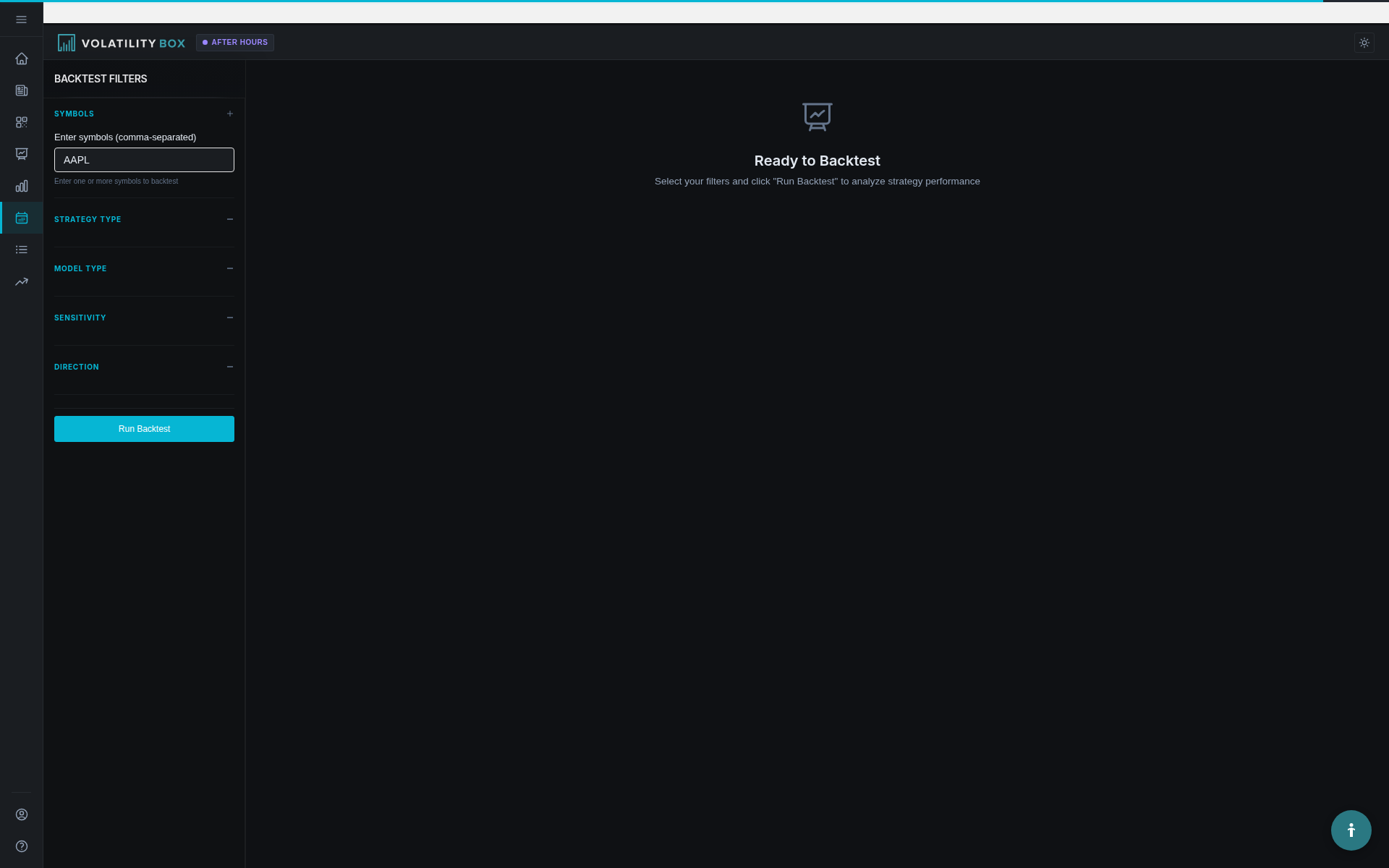
  1. Navigate to Backtester on VB Platform
  2. Enter symbol (e.g., “AAPL”)
  3. Select strategy group (e.g., VBH Aggressive)
  4. Choose direction (Combined, LONG, or SHORT)
  5. Click “Run Backtest”
  6. Review results: win rate, expectancy, equity curve, trade list

Key Takeaways

  1. VB backtests simulate 450 days of trading to validate symbol/strategy performance
  2. 450 days provides statistical significance while remaining relevant to current markets
  3. Backtests assume fills at VB levels with no slippage or commissions (slightly optimistic)
  4. Earnings dates are automatically excluded from backtest samples
  5. Results are standardized to $100 risk per trade for easy comparison
  6. You can test Combined (LONG+SHORT), LONG Only, or SHORT Only
  7. Minimum 30 trades for marginal significance, 50+ for good confidence, 100+ for strong confidence
  8. Good results: 50-60% win rate, +$0.15-$0.30 expectancy
  9. Strong results: 60-70% win rate, +$0.30-$0.50 expectancy
  10. Use backtesting to validate symbols before trading, compare strategies, and build confidence in the system

Next step: Learn how to run backtests and interpret the detailed results in “How to Run Your First VB Backtest and Read the Results.” Following this systematic approach ensures you do not skip critical steps in the process.

Was this article helpful?

Still need help?

Can't find what you're looking for? Our support team is here to help.

Contact Support