Running Backtests
Overview: From Symbol to Statistical Validation
Before trading any VB signal, you should backtest the symbol and strategy to validate performance. This tutorial walks you through running your first backtest, interpreting the results, and deciding whether to trade the symbol.
By the end of this guide, you’ll know how to read win rates, expectancy, equity curves, and trade lists to make data-driven trading decisions. These metrics are calculated from actual historical data and provide reliable indicators of potential future performance.
Step 1: Navigate to the Backtester
- Log in to the VB Platform
- Click Backtester in the left sidebar navigation
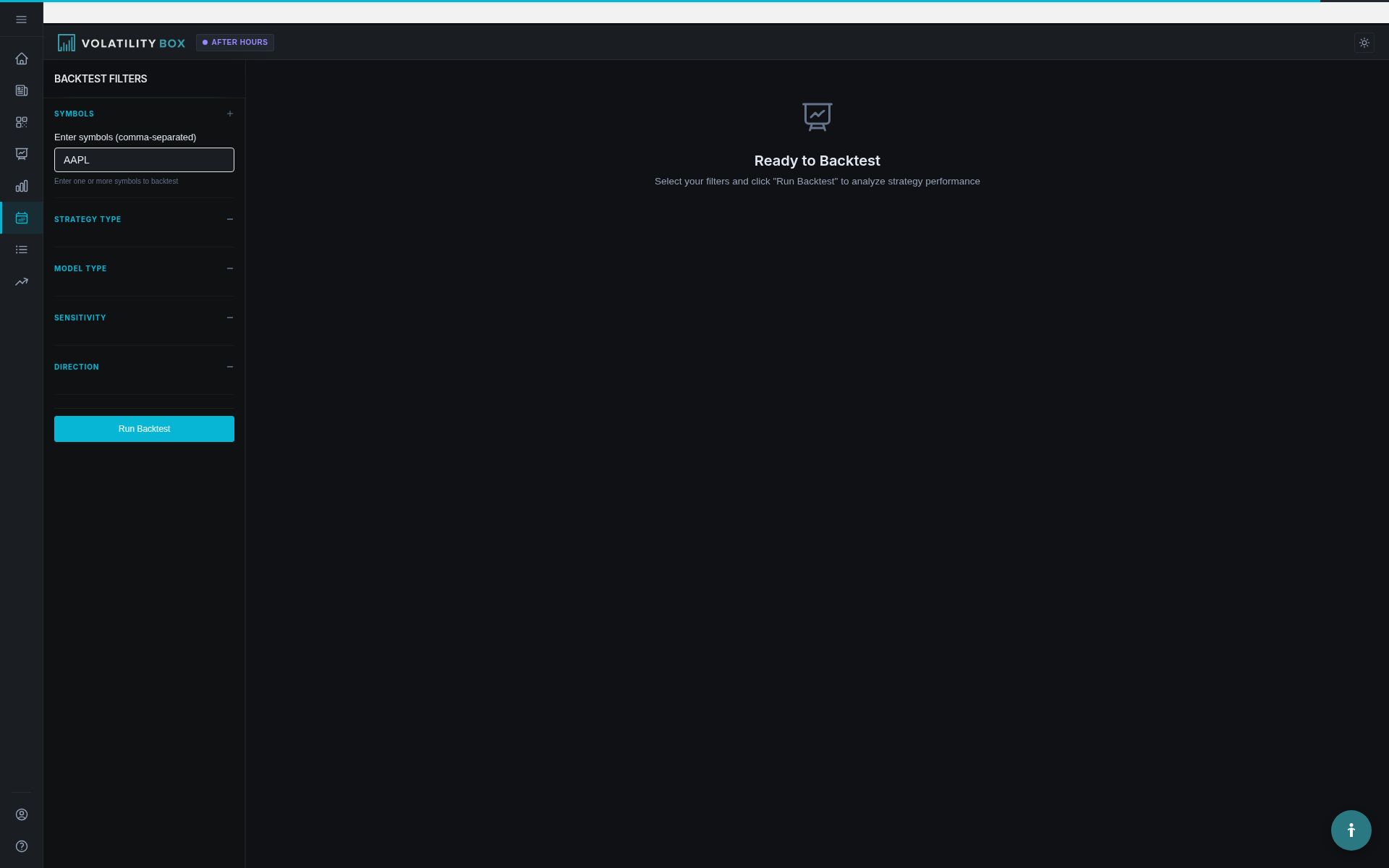
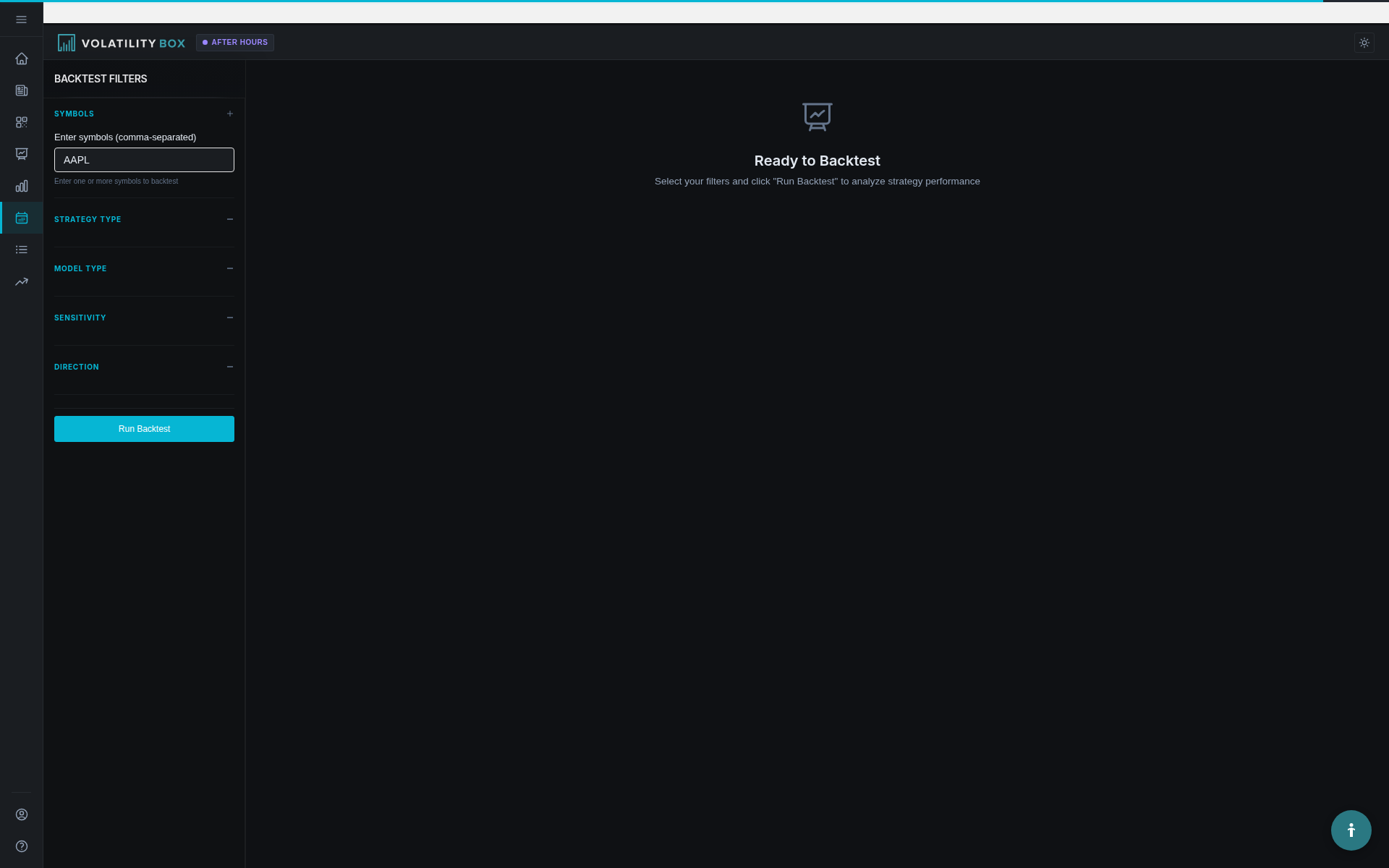
- You’ll see the backtest configuration interface
Step 2: Enter Symbol(s) to Test
Single Symbol Test
In the symbol input field, enter one ticker: This is an important aspect of using the platform effectively. This information is valuable for understanding how to use the platform more effectively.
AAPL
Press Enter or click outside the field to confirm. This action takes just a few seconds and provides immediate access to the information you need.
Multi-Symbol Test
To test multiple symbols at once, enter them separated by commas: This is an important aspect of using the platform effectively. This information is valuable for understanding how to use the platform more effectively.
AAPL, MSFT, GOOGL, NVDA, TSLA
The platform will run separate backtests for each symbol and display results in a comparative table. Historical analysis provides confidence that the strategy has a proven edge over time.
Tip: Start with one symbol for your first backtest to understand the output. Once comfortable, run multi-symbol tests to compare performance across your watchlist.
Step 3: Select Strategy Group
Choose which VB model to test: This is an important aspect of using the platform effectively. This information is valuable for understanding how to use the platform more effectively.
- Hourly Aggressive (VBH Aggressive): For scalping and day trading (30 min – 4 hours hold)
- Hourly Conservative (VBH Conservative): For day trading with wider stops (1-6 hours hold)
- Daily Aggressive (VBD Aggressive): For swing trades (1-3 days hold)
- Daily Conservative (VBD Conservative): For swing trades (3-5+ days hold)
Example decision: If you’re a day trader who scalps on 5-minute charts, select Hourly Aggressive. If you’re a swing trader holding positions for a week, select Daily Conservative.
Step 4: Choose Directional Filter
Select which signals to include in the test: This selection helps you focus on the most relevant opportunities for your trading style. This information is valuable for understanding how to use the platform more effectively.
- Combined: Tests all signals (LONG and SHORT together)
- LONG Only: Tests only upper band breaches (long entries)
- SHORT Only: Tests only lower band breaches (short entries)
Example decision: If you only trade long positions (most stock traders), select LONG Only. If you trade futures or have short-selling capability, select Combined to see both sides.
Step 5: Run the Backtest
Click the Run Backtest button. This action takes just a few seconds and provides immediate access to the information you need.
Processing time:
- Single symbol: 3-8 seconds
- 5 symbols: 15-30 seconds
- 10 symbols: 30-60 seconds
A progress indicator shows the backtest running. Once complete, results appear on the page.
Understanding Backtest Results
The results are displayed in three main sections: This is an important aspect of using the platform effectively. Navigating to this section gives you access to specialized tools and detailed information for deeper analysis.
- Summary Statistics: High-level performance metrics
- Equity Curve: Cumulative profit/loss chart over time
- Trade List: Detailed breakdown of every trade
Let’s walk through each section. This is an important aspect of using the platform effectively.
Section 1: Summary Statistics
The summary table shows key performance metrics. Here’s an example result for AAPL VBH Aggressive LONG Only:
Symbol: AAPL
Strategy: VBH Aggressive LONG Only
Backtest Period: 450 days (Jan 2024 - May 2025)
Total Trades: 87
Winning Trades: 54
Losing Trades: 28
Breakeven/EOD Trades: 5
Win Rate: 62.07%
Average Win: +$2.35
Average Loss: -$1.80
Expectancy: +$0.42 per trade
Total P/L: +$36.54 (based on $100/trade risk)
Max Drawdown: -$8.20
Largest Win: +$5.80
Largest Loss: -$3.20
How to Interpret Each Metric
Total Trades: 87
This is your sample size. 87 trades over 450 days is statistically significant (above the 30-trade minimum). You can trust these results more than a 15-trade sample.
Win Rate: 62.07%
62% of trades hit the target. 38% hit the stop or closed EOD. This is a strong win rate – above 60% is very good for VB signals.
Average Win: +$2.35
When trades hit the target, the average profit is $2.35 (based on $100 risk sizing). This tells you the typical reward per winning trade.
Average Loss: -$1.80
When trades hit the stop, the average loss is $1.80. Notice this is smaller than the average win ($2.35), which helps create positive expectancy even though not every trade wins.
Expectancy: +$0.42
This is the most important number. On average, each trade makes $0.42 (based on $100 risk). Over 100 trades, you’d expect to make $42 total profit.
Formula: Expectancy = (Win Rate × Avg Win) - (Loss Rate × Avg Loss) These metrics are calculated from actual historical data and provide reliable indicators of potential future performance. This information is valuable for understanding how to use the platform more effectively.
Calculation: (0.6207 × $2.35) - (0.3793 × $1.80) = $1.46 - $0.68 = +$0.78... wait, that doesn't match +$0.42
The difference is that some trades closed at breakeven or small EOD gains/losses, which aren’t full wins or full losses. The platform calculates expectancy from actual trade outcomes, not just win/loss averages.
Total P/L: +$36.54
Over 87 trades with $100 risk per trade, the total profit is $36.54. This is cumulative performance across the 450-day period.
Max Drawdown: -$8.20
The largest peak-to-trough decline in cumulative P/L. At one point, the strategy was down $8.20 from its previous high before recovering. This tells you the worst losing streak to expect.
If max drawdown is -$8.20 and total profit is +$36.54, the drawdown is 22% of total profit (acceptable). If drawdown was -$30 on +$36 profit, that’s 82% drawdown (too volatile).
Largest Win: +$5.80
The single best trade made $5.80. This is an outlier – most wins are around $2.35. Outliers are normal in trading.
Largest Loss: -$3.20
The single worst trade lost $3.20. Again, an outlier compared to average loss of $1.80.
Decision: Is This a Good Result?
For AAPL VBH Aggressive LONG Only: This is an important aspect of using the platform effectively. This information is valuable for understanding how to use the platform more effectively.
- Win Rate: 62% ✓ (above 55%)
- Expectancy: +$0.42 ✓ (above +$0.20)
- Sample Size: 87 trades ✓ (above 50)
- Drawdown: 22% of profit ✓ (below 30%)
Verdict: Yes, trade AAPL with VBH Aggressive LONG signals. The strategy has a proven edge with strong win rate, positive expectancy, and manageable drawdown.
Section 2: Equity Curve Chart
The equity curve is a line chart showing cumulative profit/loss over the 450-day backtest period. Historical analysis provides confidence that the strategy has a proven edge over time.
What to Look For
Smooth upward slope: Ideal. Profits accumulate steadily with minor dips (normal losing streaks).
Example: Line starts at $0, climbs to +$15 by day 150, dips to +$12, climbs to +$28 by day 300, dips to +$24, ends at +$36.54 by day 450.
This shows consistent profitability with temporary drawdowns that recover quickly. This visualization makes it easy to understand the data at a glance.
Flat line with late surge: Warning sign. If the line is flat at $0 for 300 days, then jumps to +$30 in the last 150 days, the edge might be recent/temporary, not consistent.
Jagged roller coaster: High volatility. Line swings from +$20 to -$10 to +$25 to -$5 frequently. The strategy works but with high emotional/financial stress.
Downward slope: Losing strategy. The line trends negative over time. Don’t trade this symbol/strategy combination.
Example: Good Equity Curve
Day 0: $0
Day 50: +$4.20
Day 100: +$9.80
Day 150: +$12.50
Day 200: +$18.30
Day 250: +$22.10
Day 300: +$26.80
Day 350: +$31.20
Day 400: +$34.50
Day 450: +$36.54
The line climbs steadily with only minor dips. This is consistent profitability.
How to Use the Equity Curve
Assess consistency: Is profit generated evenly across the 450 days, or is it lumpy (3 huge winners carrying the entire P/L)? This is an important aspect of using the platform effectively.
Identify drawdown periods: Where did the line drop? Was it during a specific market condition (e.g., VIX spike in Aug 2024)?
Set expectations: If the equity curve shows a max drawdown of -$8, expect similar -$8 drawdowns in live trading. Don’t panic if it happens – it’s normal based on historical data.
Section 3: Trade List (Trade-by-Trade Breakdown)
Below the equity curve, you’ll see a detailed table of every trade in the backtest. Each row represents one trade with columns:
- Date: When the signal triggered
- Direction: LONG or SHORT
- Entry: Entry price (VB level breached)
- Stop: Stop loss price (opposite VB band)
- Target: Profit target price
- Exit: Actual exit price (target, stop, or EOD close)
- P/L: Profit or loss on the trade
- Outcome: Target Hit, Stopped, or EOD
- Hold Time: Duration from entry to exit
Example Trade Rows
Date | Dir | Entry | Stop | Target | Exit | P/L | Outcome | Hold Time
2024-03-15 | LONG | $178.50 | $176.20 | $180.80 | $180.80 | +$2.30 | Target Hit | 2h 15m
2024-03-18 | LONG | $179.20 | $177.10 | $181.40 | $177.10 | -$2.10 | Stopped | 45m
2024-03-22 | LONG | $180.10 | $178.00 | $182.50 | $181.30 | +$1.20 | EOD | 4h 30m
How to Use the Trade List
Filter winners vs losers: Sort by P/L to see the best and worst trades. Do winners have common patterns (e.g., all during morning hours)? Do losers cluster around specific conditions (e.g., low volume days)?
Analyze hold times: How long do winning trades take to hit targets? If most winners take 30-60 minutes, but you’re holding 3+ hours, you might be overstaying.
Identify failure patterns: If 80% of stopped trades happened during midday (11 AM – 2 PM), consider avoiding new entries during lunch hour. This is an important aspect of using the platform effectively.
Study outliers: Why did the +$5.80 winner work so well? Was it a gap continuation? Strong volume? Study the date and chart to replicate the setup.
What Good Results Look Like (Thresholds)
Minimum Acceptable
- Win Rate: 48-52%
- Expectancy: +$0.10 to +$0.20
- Sample Size: 30-50 trades
- Max Drawdown: <25% of total profit
Interpretation: Barely profitable. Trade small position sizes or skip in favor of better symbols.
Good Performance
- Win Rate: 53-60%
- Expectancy: +$0.20 to +$0.40
- Sample Size: 50-75 trades
- Max Drawdown: <20% of total profit
Interpretation: Solid edge. Trade with standard position sizing (1-2% account risk per trade).
Strong Performance
- Win Rate: 60-70%
- Expectancy: +$0.40 to +$0.60
- Sample Size: 75-100 trades
- Max Drawdown: <15% of total profit
Interpretation: Excellent edge. Trade with confidence. Consider slightly larger position sizes (within risk limits).
Exceptional Performance
- Win Rate: 70%+
- Expectancy: +$0.60+
- Sample Size: 100+ trades
- Max Drawdown: <10% of total profit
Interpretation: Rare, but if you find it, this is a core holding. Trade this symbol/strategy regularly.
Red Flags: When to Avoid Trading
Warning Sign 1: Win Rate <45%
Even if expectancy is slightly positive (+$0.08), a 42% win rate means you’ll lose more often than you win. Psychologically difficult to trade consistently.
Warning Sign 2: Negative Expectancy
If expectancy is -$0.05 or -$0.15, the strategy loses money over time. Don’t trade it, regardless of win rate.
Warning Sign 3: Sample Size <30 Trades
Only 18 trades over 450 days? Not enough data. Results could be random luck. Wait for more signals or skip this symbol.
Warning Sign 4: Max Drawdown >40% of Total Profit
If total profit is +$20 but max drawdown was -$18, the strategy is too volatile. You’d need extreme discipline to survive the drawdown periods.
Warning Sign 5: Equity Curve Shows Recent Decline
If the equity curve climbed to +$40 by day 300, then dropped to +$15 by day 450, the edge may be deteriorating. The market or symbol behavior has changed.
Comparing Multiple Symbols
When you test multiple symbols at once (e.g., AAPL, MSFT, GOOGL, NVDA, TSLA), results are displayed in a comparative table:
Symbol | Win Rate | Expectancy | Trades | Max DD | Total P/L
-------+----------+------------+--------+---------+-----------
AAPL | 62% | +$0.42 | 87 | -$8.20 | +$36.54
MSFT | 58% | +$0.35 | 76 | -$10.50 | +$26.60
GOOGL | 54% | +$0.22 | 64 | -$12.30 | +$14.08
NVDA | 68% | +$0.58 | 92 | -$7.80 | +$53.36
TSLA | 48% | +$0.08 | 55 | -$18.40 | +$4.40
How to Rank Symbols
Primary sort: Expectancy (high to low) These metrics are calculated from actual historical data and provide reliable indicators of potential future performance. This information is valuable for understanding how to use the platform more effectively.
NVDA (+$0.58) > AAPL (+$0.42) > MSFT (+$0.35) > GOOGL (+$0.22) > TSLA (+$0.08)
Secondary sort: Sample size (high to low for tiebreakers) This is an important aspect of using the platform effectively. Larger sample sizes provide greater statistical confidence that the observed results are meaningful rather than random chance.
If two symbols have similar expectancy, choose the one with more trades for higher confidence. These metrics are calculated from actual historical data and provide reliable indicators of potential future performance.
Eliminate poor performers: This is an important aspect of using the platform effectively. This information is valuable for understanding how to use the platform more effectively.
TSLA shows marginal results (48% win rate, +$0.08 expectancy, high drawdown). Skip TSLA and focus on the top 4.
Final watchlist: Trade VB signals on NVDA, AAPL, MSFT, and GOOGL. Avoid TSLA. This is an important aspect of using the platform effectively.
Processing Time Expectations
- 1 symbol: 3-8 seconds
- 5 symbols: 15-30 seconds
- 10 symbols: 30-60 seconds
- 20 symbols: 60-120 seconds
If backtests take longer, the platform is processing heavy data or the symbols have very high trade counts. Be patient – results are worth the wait.
Common Backtest Questions
Q: Can I backtest multiple strategies on one symbol at once? Historical analysis provides confidence that the strategy has a proven edge over time.
Yes. Run separate backtests for VBH Aggressive, VBH Conservative, VBD Aggressive, and VBD Conservative on the same symbol. Compare results to find the best model.
Q: Why do backtest results sometimes differ from Scanner win rates? These metrics are calculated from actual historical data and provide reliable indicators of potential future performance.
Scanner win rates are updated in real-time as new signals complete. Backtests run on historical data from the last 450 days. If recent performance diverges from historical averages, you’ll see differences. Use backtest results for long-term expectation, Scanner data for recent trends.
Q: Should I backtest every symbol before trading? Historical analysis provides confidence that the strategy has a proven edge over time.
Ideally, yes. At minimum, backtest symbols you plan to trade regularly (your core watchlist of 10-20 stocks). This takes 30-60 minutes once and saves you from trading symbols with no edge.
Q: How often should I re-run backtests? Historical analysis provides confidence that the strategy has a proven edge over time.
Quarterly (every 3 months) to verify the edge persists. If a symbol’s expectancy drops from +$0.45 to +$0.10, market conditions or symbol behavior has changed. Adjust your watchlist accordingly.
Next Steps After Running Your First Backtest
- Backtest your top 10 watchlist symbols with your preferred strategy (e.g., VBH Aggressive for day trading)
- Create a spreadsheet ranking symbols by expectancy and win rate
- Eliminate symbols with expectancy <+$0.15 or win rates <50%
- Focus on top 5-8 symbols with the strongest results
- Paper trade or use small position sizes on these symbols for 10-20 trades to validate backtest results in live conditions
- Review equity curves to set realistic drawdown expectations (if backtest shows -$10 max DD, expect similar in live trading)
Key Takeaways
- Run backtests from the Backtester page: enter symbol, select strategy, choose direction, click Run
- Summary stats show win rate, expectancy, sample size, and max drawdown – these are your decision metrics
- Expectancy is the most important number: +$0.20+ is good, +$0.40+ is strong, +$0.60+ is exceptional
- Win rate above 55% is solid, above 60% is very good, above 70% is rare
- Sample size matters: 30+ trades minimum, 50+ preferred, 100+ high confidence
- Equity curve shows consistency: smooth upward slope = good, flat with late surge = warning, downward slope = avoid
- Trade list helps identify patterns in winners/losers and optimal hold times
- Compare multiple symbols to rank by expectancy and sample size
- Re-run backtests quarterly to verify the edge persists
- Use backtest results to build a validated watchlist of 5-10 symbols with proven edges
Now you know how to validate symbols and strategies with data before risking capital. Trade smarter, not harder.
Was this article helpful?
Still need help?
Can't find what you're looking for? Our support team is here to help.
Contact Support