Platform Overview
Welcome to the Volatility Box Platform
The Volatility Box Platform helps traders identify high-probability trading opportunities using statistical volatility levels. Instead of guessing where to enter and exit trades, VB signals provide calculated entry prices, stop losses, and profit targets based on price behavior analysis. This removes guesswork and emotional decision-making from your trading process.
This guide walks you through the platform’s core features so you can start finding and executing trades with confidence. By understanding each component, you’ll develop a systematic approach to identifying quality setups and managing trades effectively.
Core Platform Components
The Volatility Box Platform consists of seven main tools, each designed for a specific part of your trading workflow:
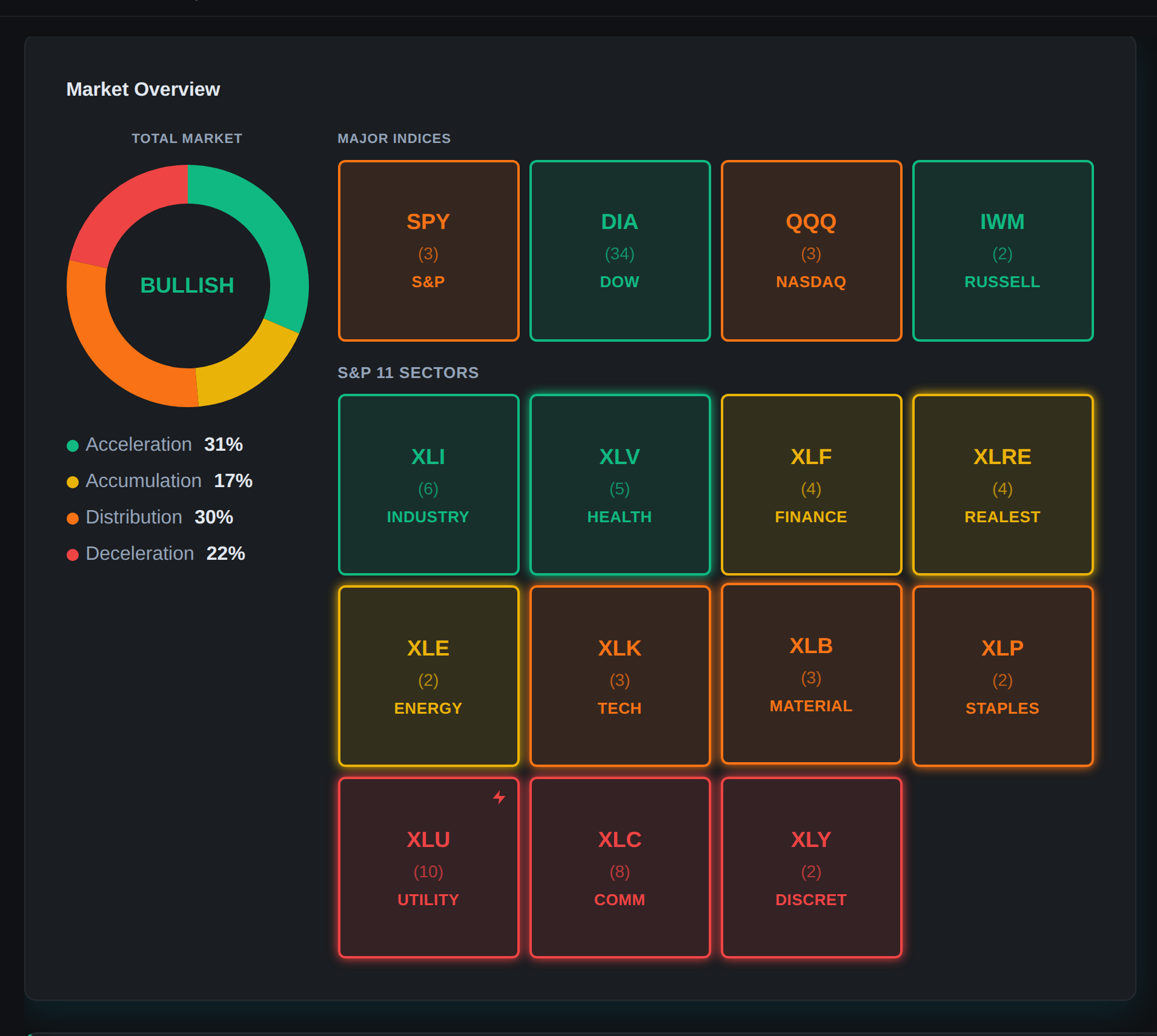
Dashboard – Market Overview
The Dashboard provides real-time visibility into current market conditions and signal activity. This is your starting point each session:

- Active Signals: Total number of live signals split between LONG and SHORT opportunities
- Market Bias: Visual breakdown of bullish vs bearish signals to gauge market sentiment
- Top Conviction Trades: Highest-ranked signals based on multi-factor scoring
- Signal Feed: Real-time updates as new opportunities develop
A quick Dashboard review tells you whether the market is offering quality opportunities or if you should be more selective. This context helps you calibrate expectations and trading approach for the session.
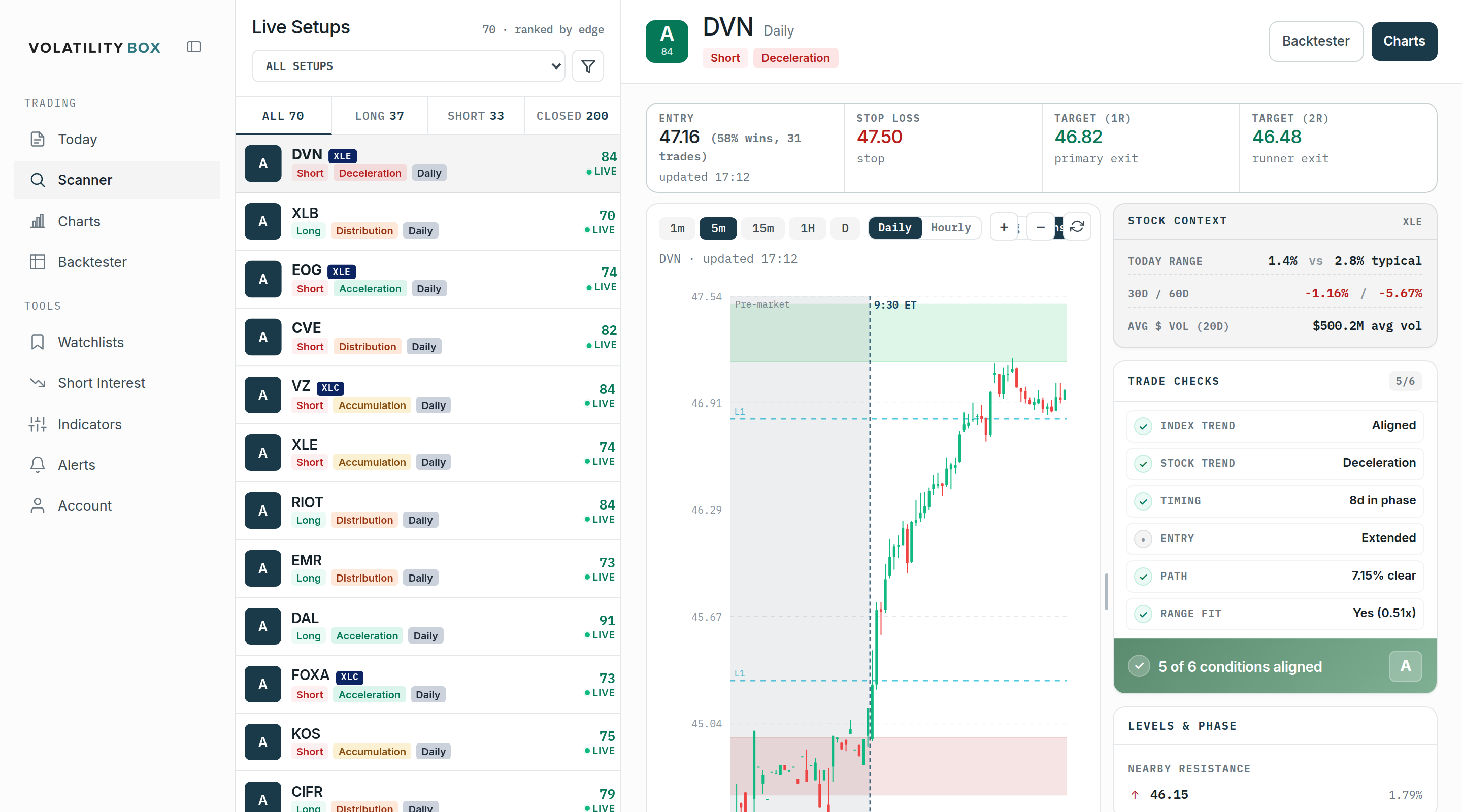
Scanner – Signal Discovery
The Scanner is where you’ll find your trades. It displays all active VB signals in a filterable table with comprehensive information:

- Entry, stop, and target price levels
- Conviction scores (0-100 quality ranking)
- Win rates from historical backtests
- Market Pulse indicators showing trend alignment
- Signal status (Open, Target Hit, Stopped, EOD)
- Model type and trade direction
Powerful filters let you narrow hundreds of signals to find setups matching your style and risk tolerance. Instead of manually reviewing every signal, filters instantly surface your highest-probability opportunities.
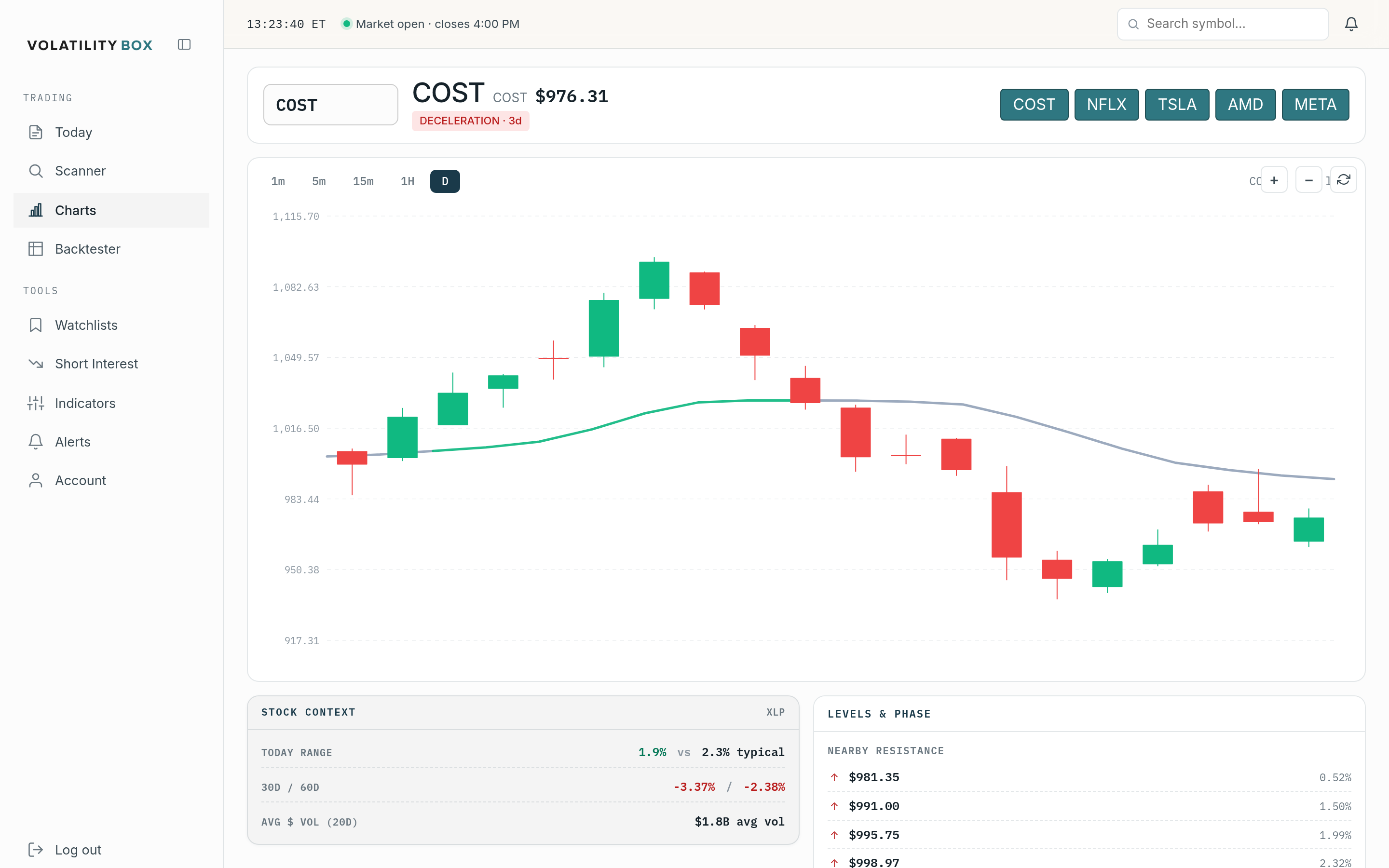
Charts & Symbol Pages – Visual Confirmation
Each symbol has a dedicated page showing:
- Live charts with VB levels plotted
- Recent signal performance history
- Market Pulse trend analysis
- Current price position relative to VB bands

Use Symbol Pages to visually confirm signals before executing, ensuring setups pass both statistical and visual validation.
Indicator Generator – ThinkorSwim Integration
Generate custom study files (.ts format) that plot VB levels directly on ThinkorSwim charts. This provides visual confirmation and helps with entry timing. The platform auto-generates indicators for 150 liquid stocks weekly, and you can create custom studies for any symbol in your watchlists.
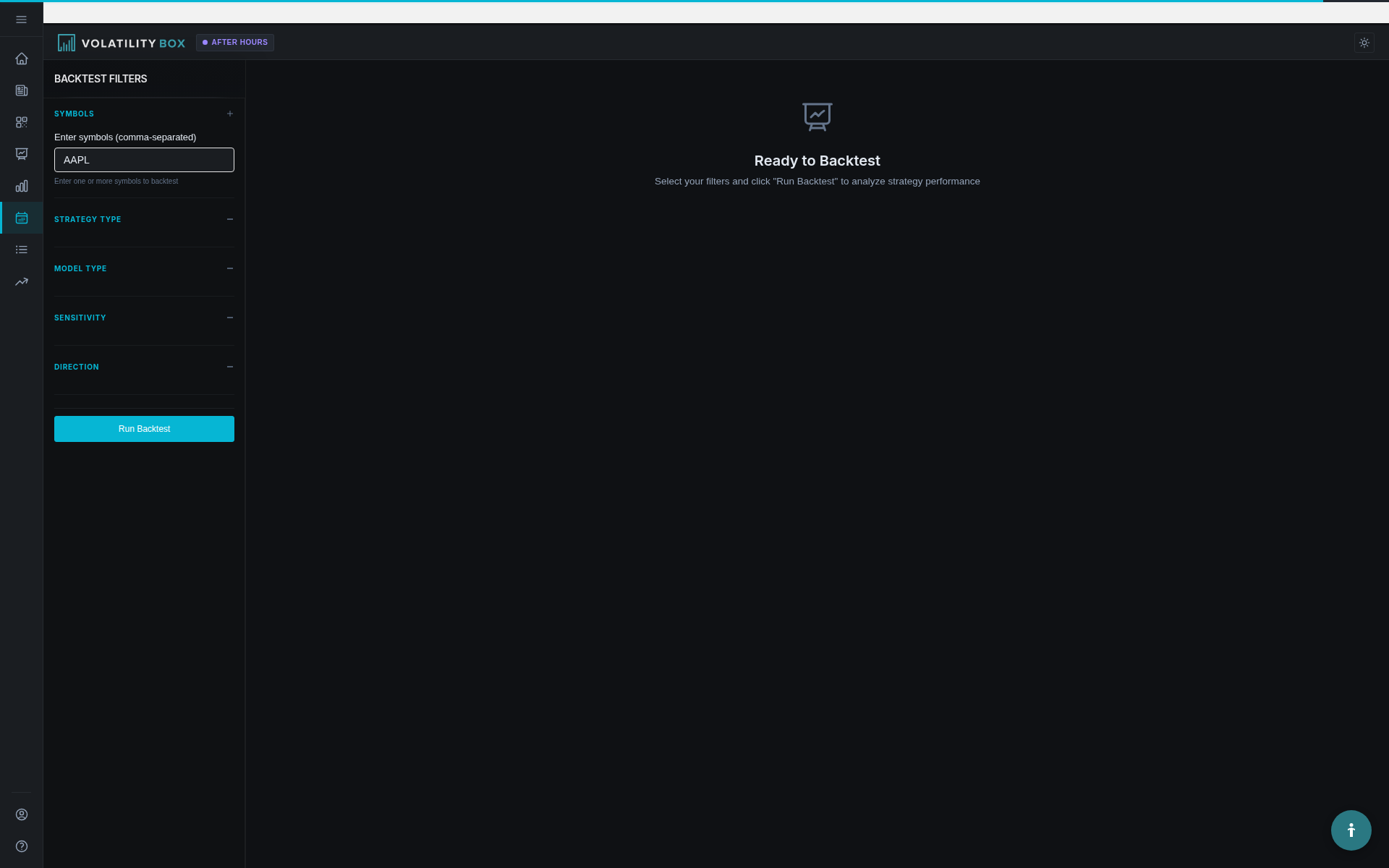
Backtester – Strategy Validation
Test any symbol or model combination over historical data to validate performance before risking capital. The Backtester shows:
- Win rate percentages
- Expectancy (average profit per trade)
- Equity curves
- Trade-by-trade breakdowns

This removes guesswork and helps you focus on strategies with proven statistical edges.
Watchlists – Custom Symbol Lists
Create and manage custom watchlists to organize symbols by strategy, sector, or preference. Watchlists integrate with the Scanner, allowing you to filter signals to only your tracked symbols. This helps you focus on stocks you know well rather than scanning the entire market.
Short Interest Scanner – Squeeze Opportunities
Identify stocks with high short interest percentages and calculate Days to Cover metrics. When combined with VB signals, you can find setups where technical reversals align with short squeeze potential, creating high-probability reversal opportunities.
How VB Signals Work
VB stands for “Volatility-Based.” Signals trigger when price breaks beyond statistically significant levels calculated from recent volatility patterns. These levels adapt dynamically to current market conditions, staying tight in low volatility and wider when volatility expands.
Signal Generation Process
VB levels are calculated using the high and low of the current period (hour for hourly signals, day for daily signals). The platform creates upper and lower bands representing statistical boundaries. When price breaks beyond these bands with conviction, a signal triggers.
Levels are plotted ahead of time, but self-adjust as new highs or lows form during the period. This dynamic recalculation ensures you’re working with current statistical levels as price action evolves.
Signal Components
When a breach occurs, you receive a complete trade setup:
- Entry Price: The level that was breached
- Stop Loss: The opposite band (if price breaches upper band going long, stop is the lower band)
- Target Price: Calculated profit target based on volatility and model type
For example, if SPY breaches the upper VB level at $451.20, you receive a LONG signal with Entry: $451.20, Stop: $449.80, Target: $452.50.
Four Model Types
The platform generates signals from four models, each optimized for different trading styles:
Hourly Aggressive: Tighter bands triggering more frequently. Best for scalping and active day trading with quick entries and exits. Generates 20-40 signals daily across all symbols.
Hourly Conservative: Wider bands triggering less often with stronger momentum. Better for day trading with wider stops and multi-hour holds. Produces 10-20 signals daily with higher win rates.
Daily Aggressive: Based on daily ranges. Good for swing trades lasting 1-3 days manageable with end-of-day checks. Generates 5-15 signals daily, ideal for traders who can’t monitor markets during the day.
Daily Conservative: Widest bands for swing trades lasting 3-5+ days with larger profit potential. Produces 3-8 signals daily targeting bigger moves, suitable for position trading.
Model type determines entry frequency, stop width, and typical hold time. Most traders start with Hourly Aggressive for day trading and Daily Conservative for swings.
Conviction Score System
Not all signals are equal. The platform ranks every signal 0-100 using multi-factor analysis:

- VB Performance (0-30 points): Historical win rate and expectancy on the symbol
- Momentum (0-25 points): Current price velocity and trend strength
- Market Pulse (0-20 points): Trend alignment and signal quality
- Support/Resistance (0-15 points): Proximity to key price levels
- Risk/Reward (0-10 points): Quality of entry-to-target ratio
Scores of 80+ represent high-quality setups. Scores of 60-69 are minimum tradeable signals requiring selective entry. Most successful traders focus on signals scoring 75+.
Market Pulse Integration
Every signal includes Market Pulse analysis assessing trend context:
- Signal Type: FP (First Pullback), TC (Trend Continuation), TR (Trend Reversal), ME (Mean Extension), SP (Support Play)
- Trend Alignment: WITH or AGAINST established trend
- Pulse Color: Green (strong), Yellow (moderate), Orange (weakening), Red (choppy)
- Market Stage: Accumulation, Mark-Up, Distribution, or Mark-Down
Signals WITH the trend showing FP or TC types typically have higher win rates. Most professional traders heavily favor WITH-trend setups for consistency.
Signal Status Tracking
The platform tracks signals in real-time throughout the session:
- Open: Signal active, price between target and stop
- Target Hit: Price reached profit target
- Stopped: Price hit stop loss
- EOD: Closed end of day without hitting target or stop
This automated monitoring lets you manage multiple positions without manually checking every price level.
Basic Workflow
Typical flow from signal discovery to execution:
- Check Dashboard for market bias and signal activity (30 seconds)
- Open Scanner and apply filters for your trading style (60 seconds)
- Sort by Conviction to identify high-quality signals (60 seconds)
- Review Symbol Pages for visual confirmation (90 seconds)
- Execute in broker using provided entry/stop/target prices (60 seconds)
- Monitor status as price moves toward target or stop
Total time from login to executed trade: Under 5 minutes. With practice, this becomes 2-3 minutes.
Important Disclaimers
VB signals are statistical alerts, not buy/sell recommendations. You must evaluate market context, manage risk, and execute with discipline. The platform provides data and analysis, but you remain responsible for all trading decisions.
No system wins 100% of the time. VB signals provide statistical edges based on historical performance, but every trade carries risk. Proper position sizing and risk management are essential.
Signal quality varies. Getting the signal is step one – proper execution, stop loss discipline, and profit-taking strategy determine whether you capture the edge over time.
Next Steps
Now that you understand the platform structure:
- Read “Your First VB Signal: Quick Start Guide” for a live example walkthrough
- Study “Understanding Conviction Scores” to learn the ranking system in detail
- Explore the Scanner using filters to find signals matching your style
- Backtest 2-3 symbols you’re interested in trading
- Paper trade or use small positions for your first 10-20 signals
Success with VB signals comes from combining statistical edge with proper trade management and consistent execution. Start small, track results, and refine your approach based on performance data.
Was this article helpful?
Still need help?
Can't find what you're looking for? Our support team is here to help.
Contact Support