Everything you need to trade volatility, in one place.
One platform reads the liquid markets through daily and hourly volatility models, tells you which way the trend is leaning, and hands you the level to act on. Stop charting by hand and trade with the move.
New here? Start with the walkthrough.
A short series that shows you how the platform works, how to find setups, and how to act on them with confidence.
How the platform works.
Start with the read to see where the market is leaning. The scanner surfaces the names already moving your way, with the levels worked out for you. Then take it to your charts.
Today
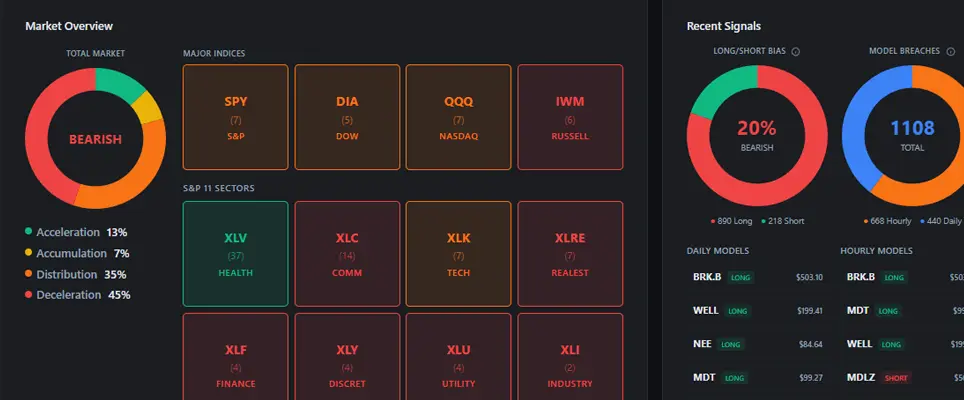
The morning read: Market Pulse for the indexes and sectors, where to focus, and the top setups.
Learn more →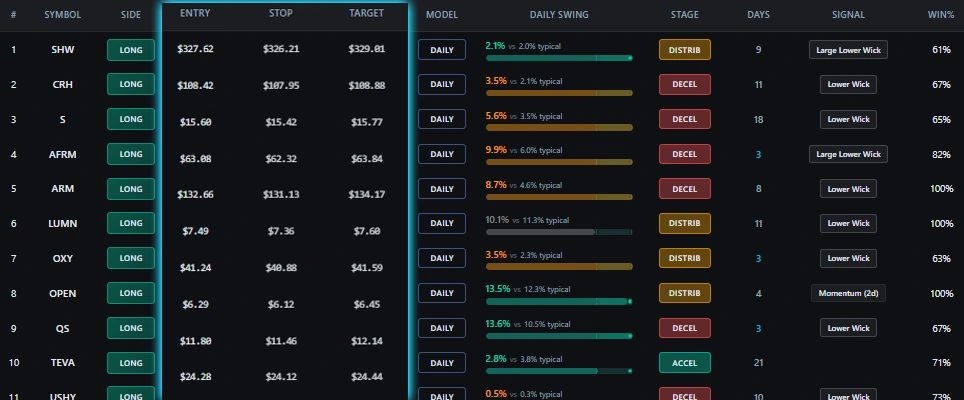
Dynamic entry and exit levels
Stop guessing where to enter or exit. The platform reads each name and hands you the entry, stop, and target.
Learn more →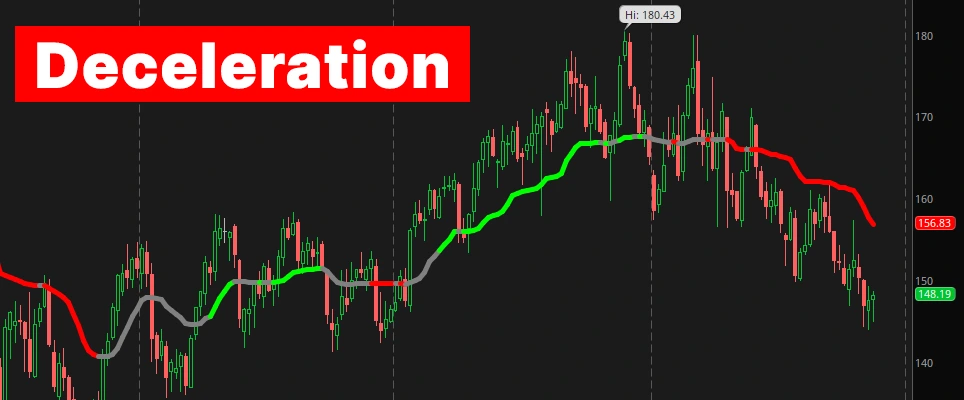
Market Pulse
Every name shows which way it is leaning and how hard to push. Know the environment before you trade.
Learn more →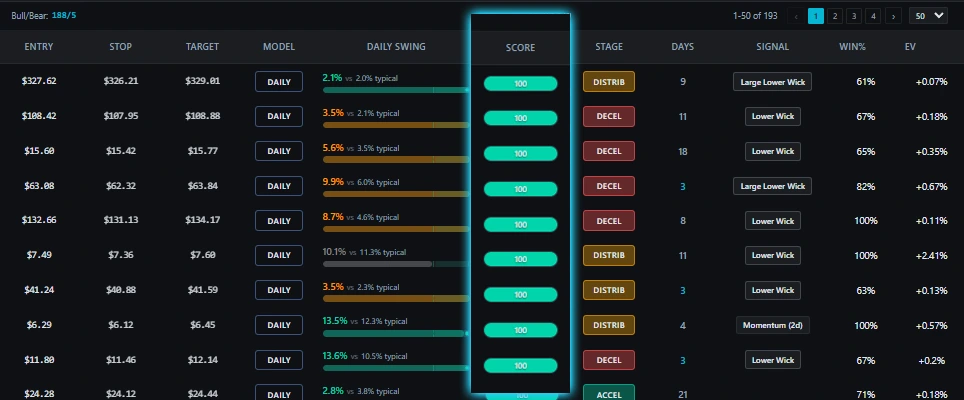
Conviction scoring
Not all signals are equal. Each gets a strength score so you focus on the best, and stale ones fall away.
Learn more →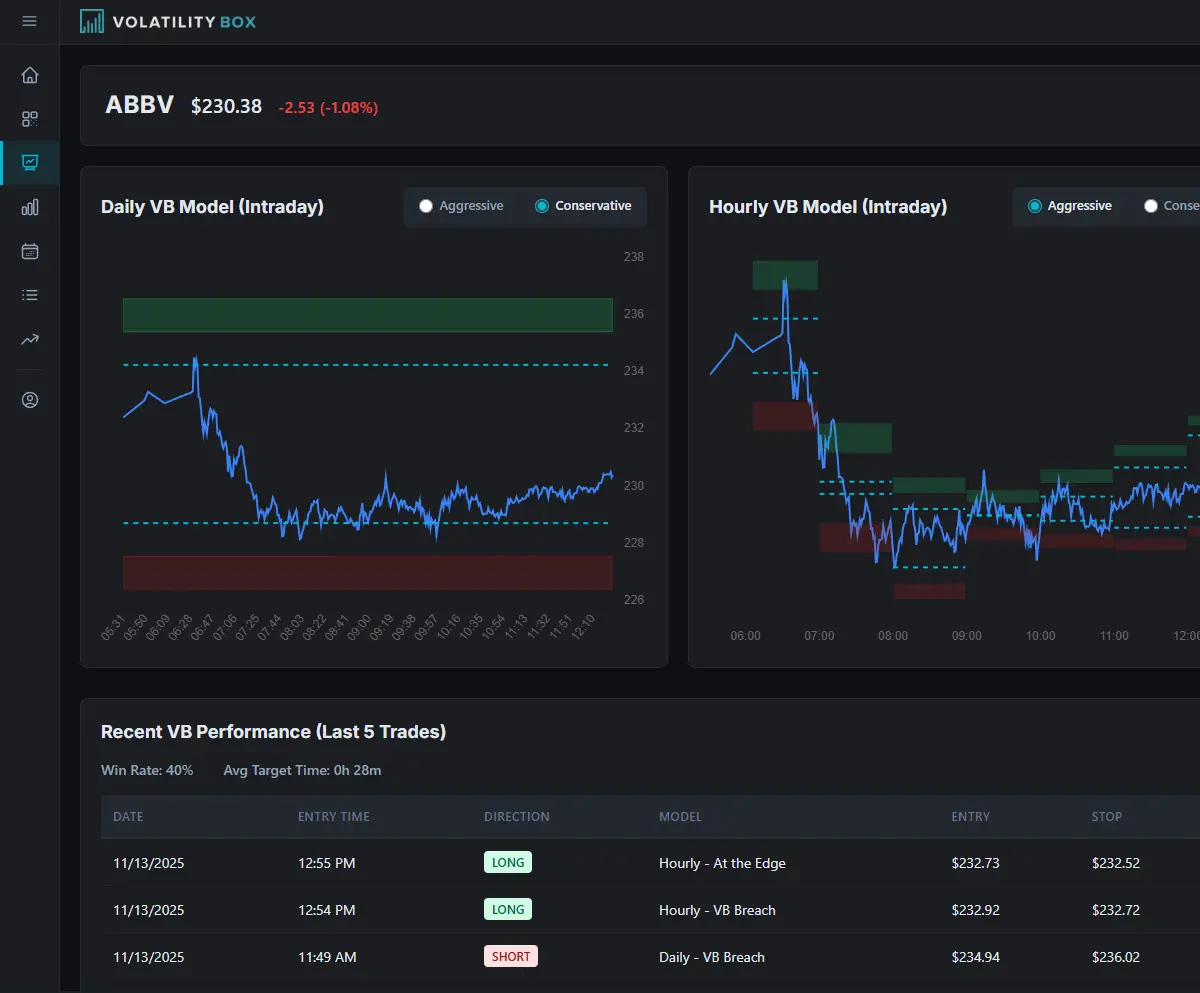
Built-in charts
Levels, trend, and recent history on every symbol. Confirm a setup at a glance without leaving the platform.
Learn more →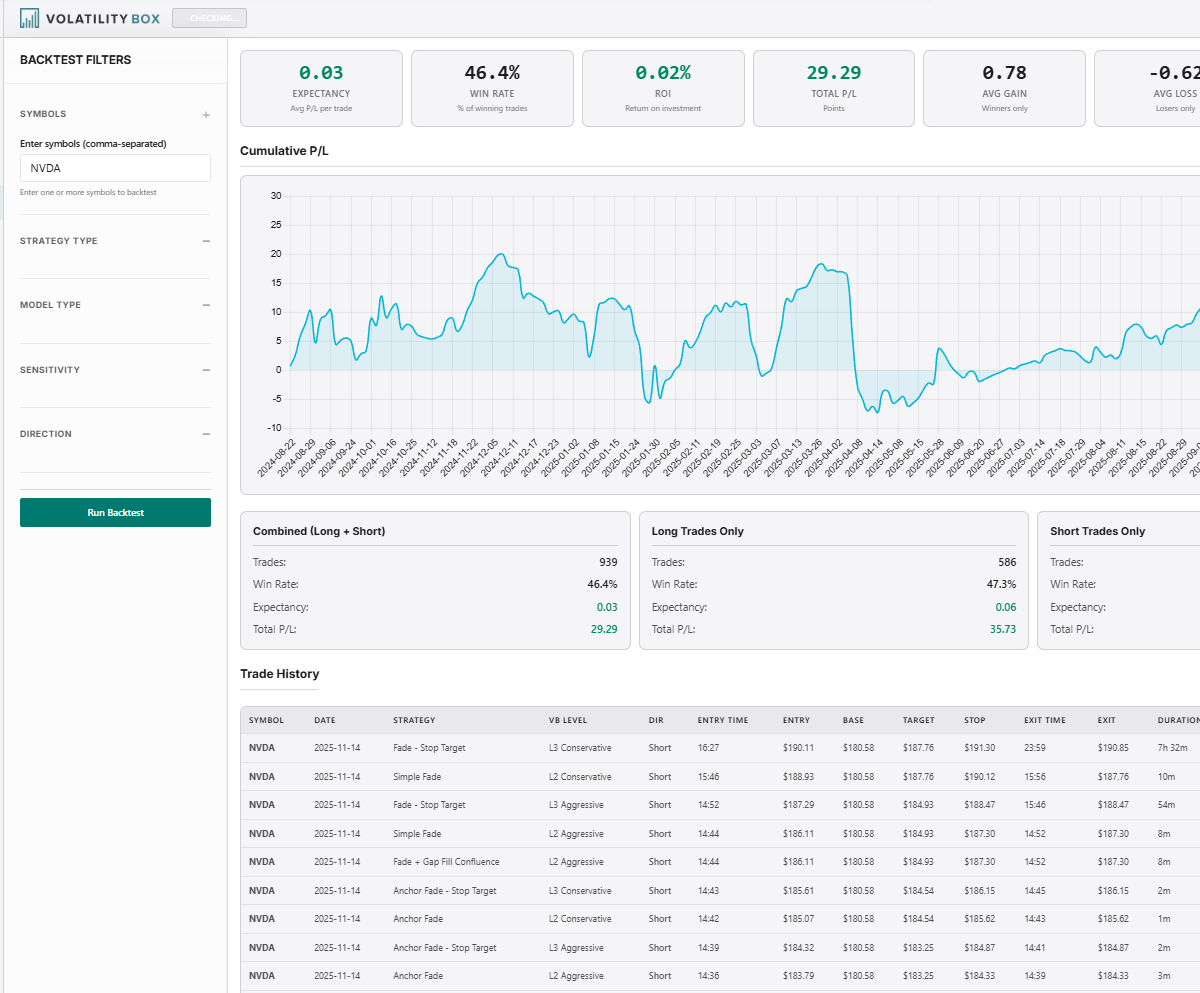
Backtester
See how a name has behaved across a long stretch of history, so you trade its character rather than a guess.
Learn more →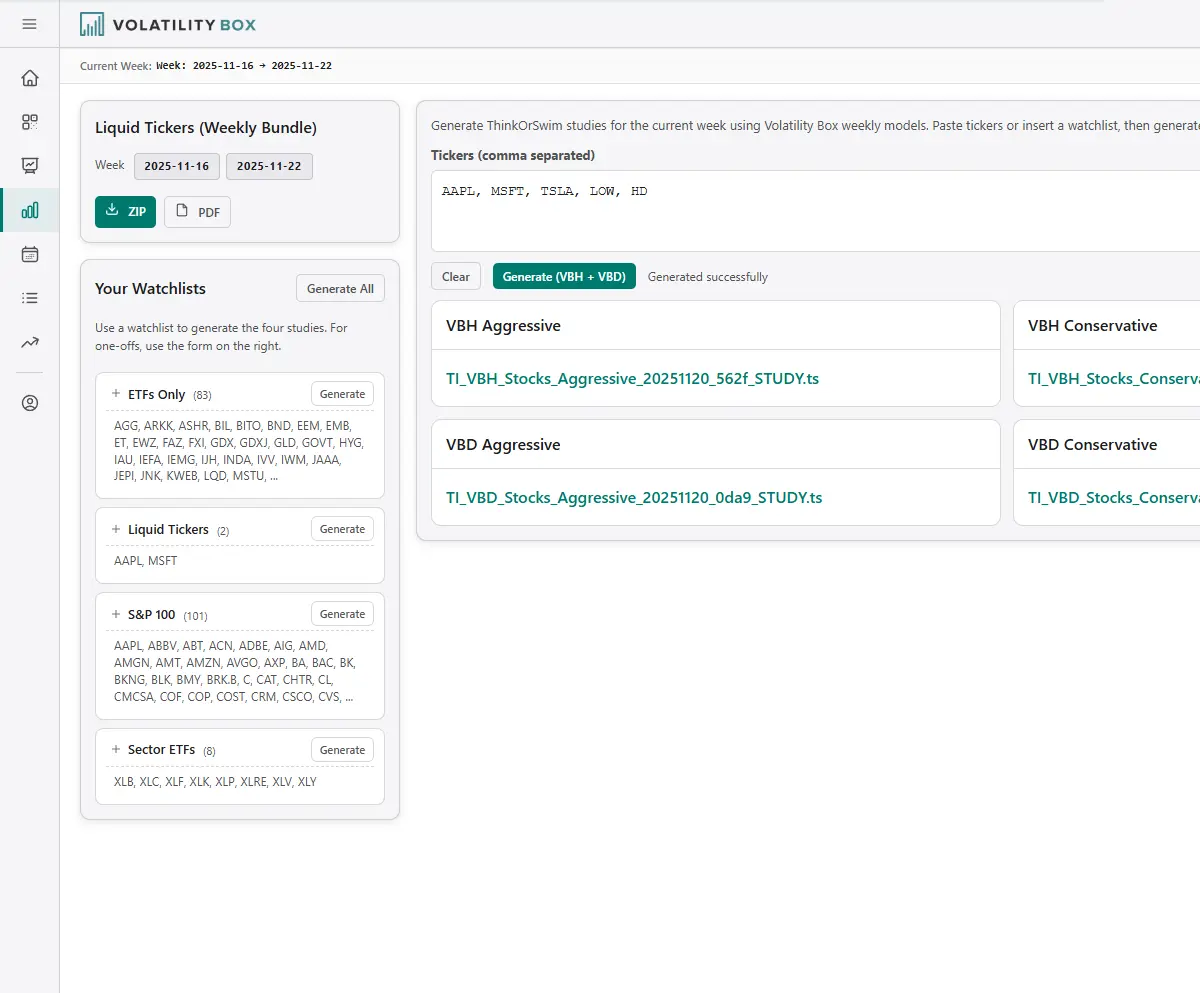
ThinkScript export
One click to take the levels into ThinkOrSwim. Copy, paste, and they appear on your chart.
Learn more →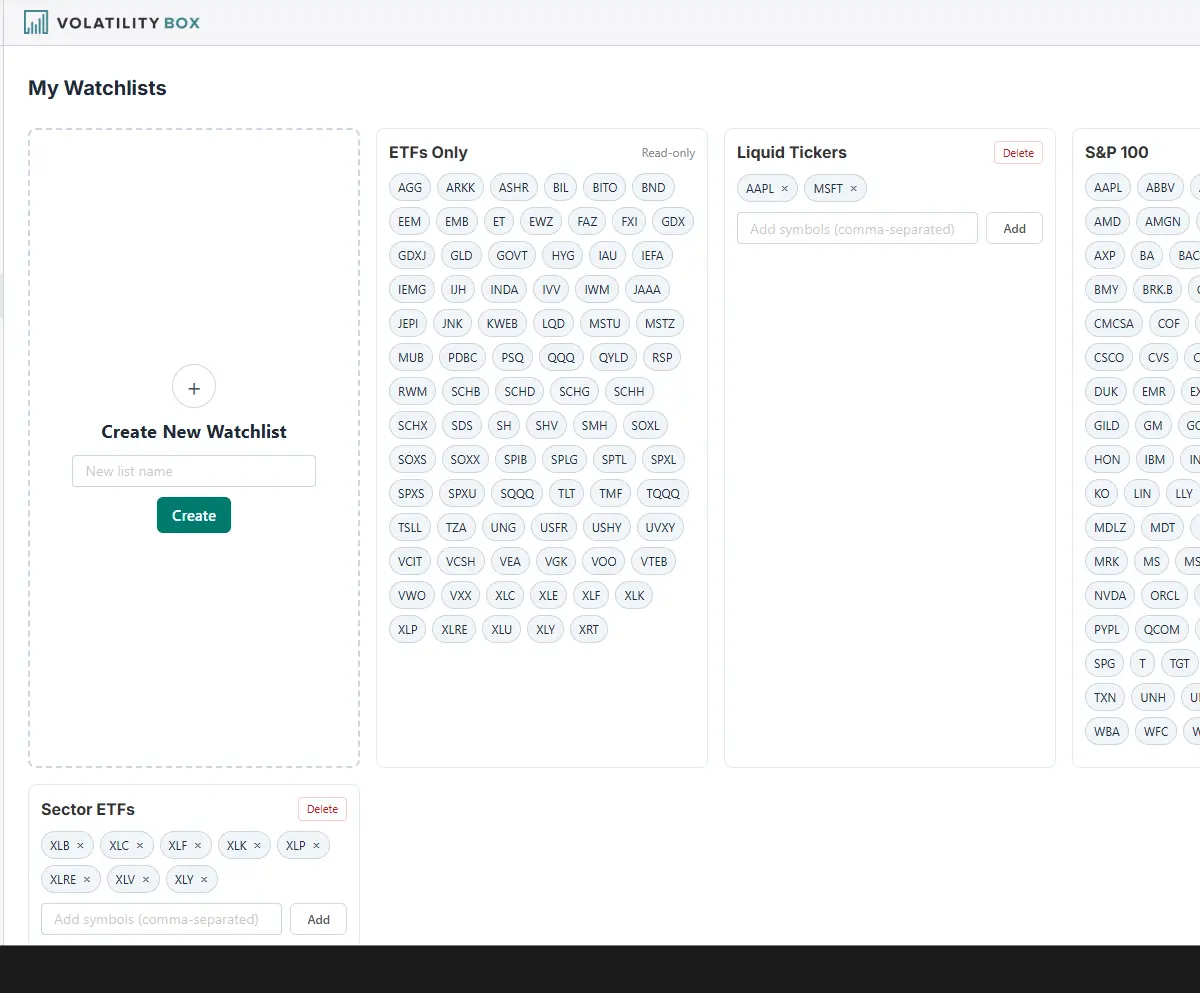
Custom watchlists
Build lists from any of the names we cover and filter the scanner to only the symbols that matter to you.
Learn more →Four phases, one glance.
Market Pulse places every name we cover in one of four phases, each with its own color, so you know whether to lean in or wait before you look at a chart.
Yellow
Price is firming up but the uptrend is not confirmed yet. An early, building phase worth watching rather than chasing.
Green
The uptrend is confirmed and in control. This is where leaning long and holding with the trend has the most going for it.
Orange
Price is rolling over but the downtrend is not confirmed yet. Momentum is fading, so tighten up rather than press longs.
Red
The downtrend is confirmed and in control. Conditions favor leaning short or standing aside, not fighting the move.
Everything included with your membership.
All of the tools, the models, and the education. No upsells, no contracts.
All premium tools
Complete access to every scanner, model, and backtesting tool from day one. Nothing else to buy.
The full squeeze course
Over 160 minutes across 18 modules teaching the complete squeeze trading system.
Fresh levels
Stock scanner and levels: live, every 2 minutes in market hours. ThinkOrSwim files and Futures VB levels: rebuilt every Sunday.
Complete setup guide
Step by step instructions and observations for putting the platform to work in your own trading.
Month to month
No long term contracts, cancel any time, and your rate locks in with no future increases.
ThinkOrSwim export
Generate the code for any model and paste it straight into your charts.
Who uses Volatility Box.
Day traders, swing traders and options traders all work from the same read, with different timeframes and position sizing.
Day traders
Lean on the hourly read for intraday setups as new entry zones appear through the session.
- Hourly volatility models
- Live scanner refresh
- Entry, stop, target included
- Market Pulse context
Swing traders
Use the daily read for multi-day positions and lean on history to see which names suit you.
- Daily volatility models
- Long backtest history
- Behavior by setup
- Custom watchlists
Options traders
The platform marks the entry zone on the underlying. You decide whether to trade shares or options.
- Entry zones for the underlying
- You pick the contract
- Option trades are not backtested
- Trend context built in
Frequently asked questions.
How does the platform decide where to enter and exit?+
It reads each name through volatility models that adapt as conditions change, then hands you an entry, a stop, and a target. The levels move with the market rather than sitting at fixed percentages.
What is Market Pulse and why does it matter?+
Market Pulse is the read on which way a name is leaning. It places every name we cover in one of four phases: Accumulation, Acceleration, Distribution or Deceleration, so you know the environment before you trade.
How often does the scanner update?+
Every 2 minutes from the open to the close, so you catch new setups as they form.
Can I use it with my existing brokerage?+
Yes. The platform is broker agnostic. ThinkOrSwim users get one-click code, and the levels can be applied by hand on any charting or order entry system.
Do I need coding or technical analysis experience?+
No. The platform handles the analysis. If you understand entry price, stop loss, and profit target, you are ready to use it.
How do I use this for options?+
The platform marks the entry, stop, and target on the underlying. If you use options, pick your own strike and expiry; we don't test option trades.
Can I cancel?+
Yes, from your account page. We ask one optional question about why, and you can skip it. You keep access until the period ends.
See where the market is leaning today.
Stop guessing which name, which direction, and when. Let the read show you.